The reference for spatial audio.
We make the tools of the future, today.
Trusted by engineers at
Not six apps — one pipeline. Every stage runs on the same independent engine. Play it, QC it, meter it, monitor it, finish it, stream it. One source of truth, end to end. Hover a stage →
“Orbit Pro was exactly what I’d been trying to build myself for months.”
“I use Orbit Lite to check mixes for Apple Spatial Audio — an extra QC pass after exporting from Logic.”
“My first-ever unconditional buy recommendation.”
“Orbit, as well as Orbit Pro, get a solid recommendation from me.”
Room to work.
A look-and-feel release. The Overview page and footer lose their panel boxes and get the room back, the 3D scene more than doubles in height, and the level at which an object counts as “active” is now yours to set.
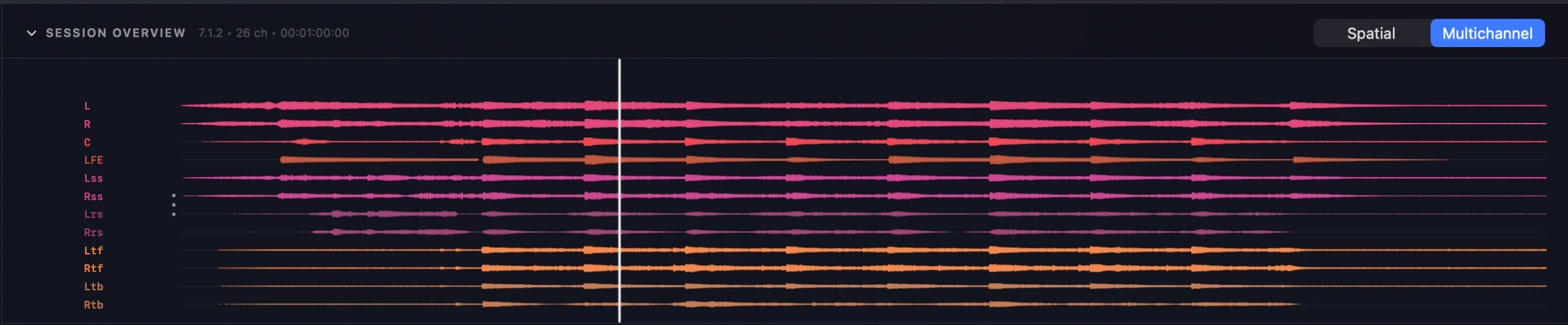
The scene, full width
One button steps Activity aside and hands the whole row to the 3D scene. Scroll or pinch to zoom — it stays pivoted on the listening position, so you orbit the sweet spot rather than drifting off it.
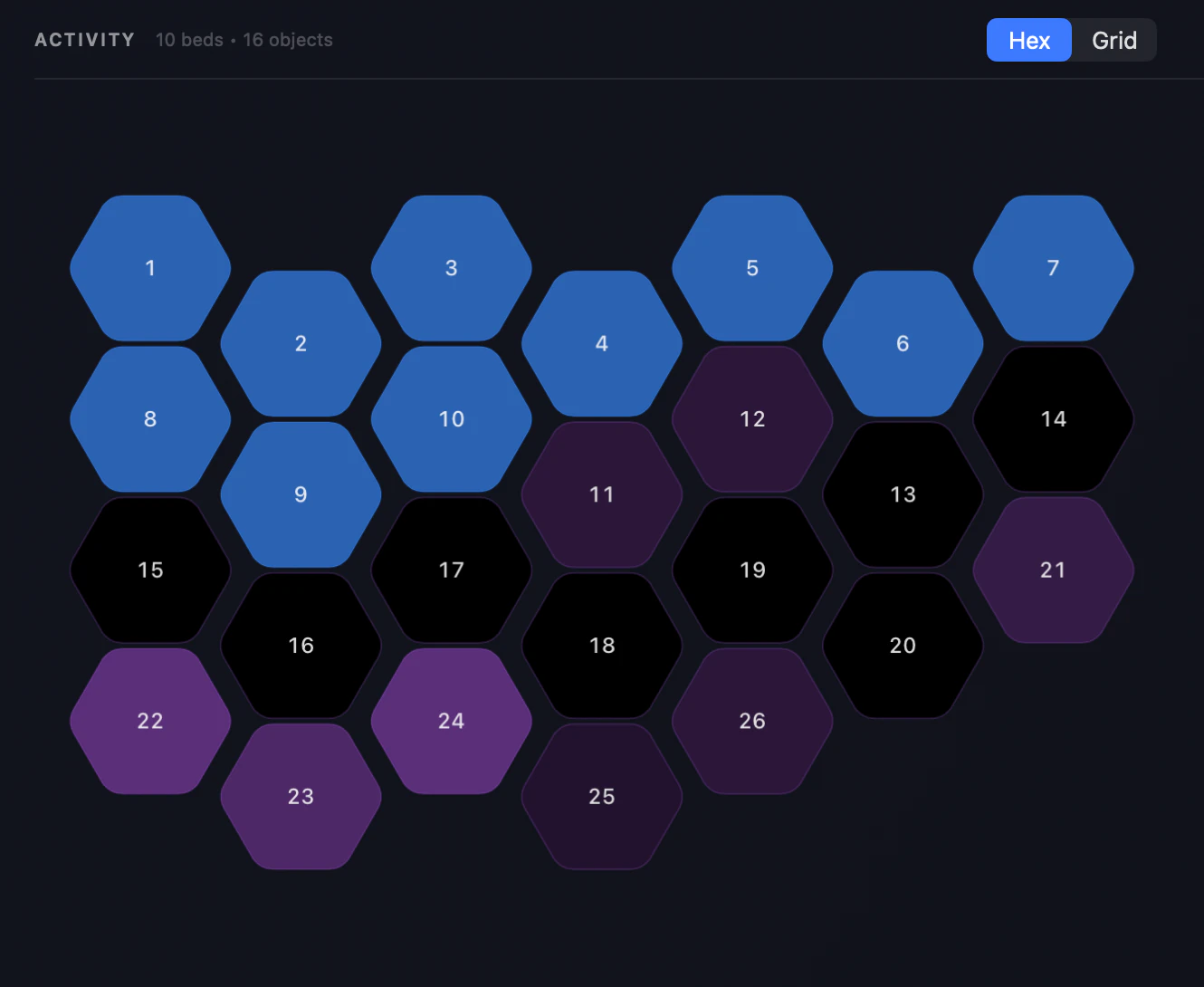
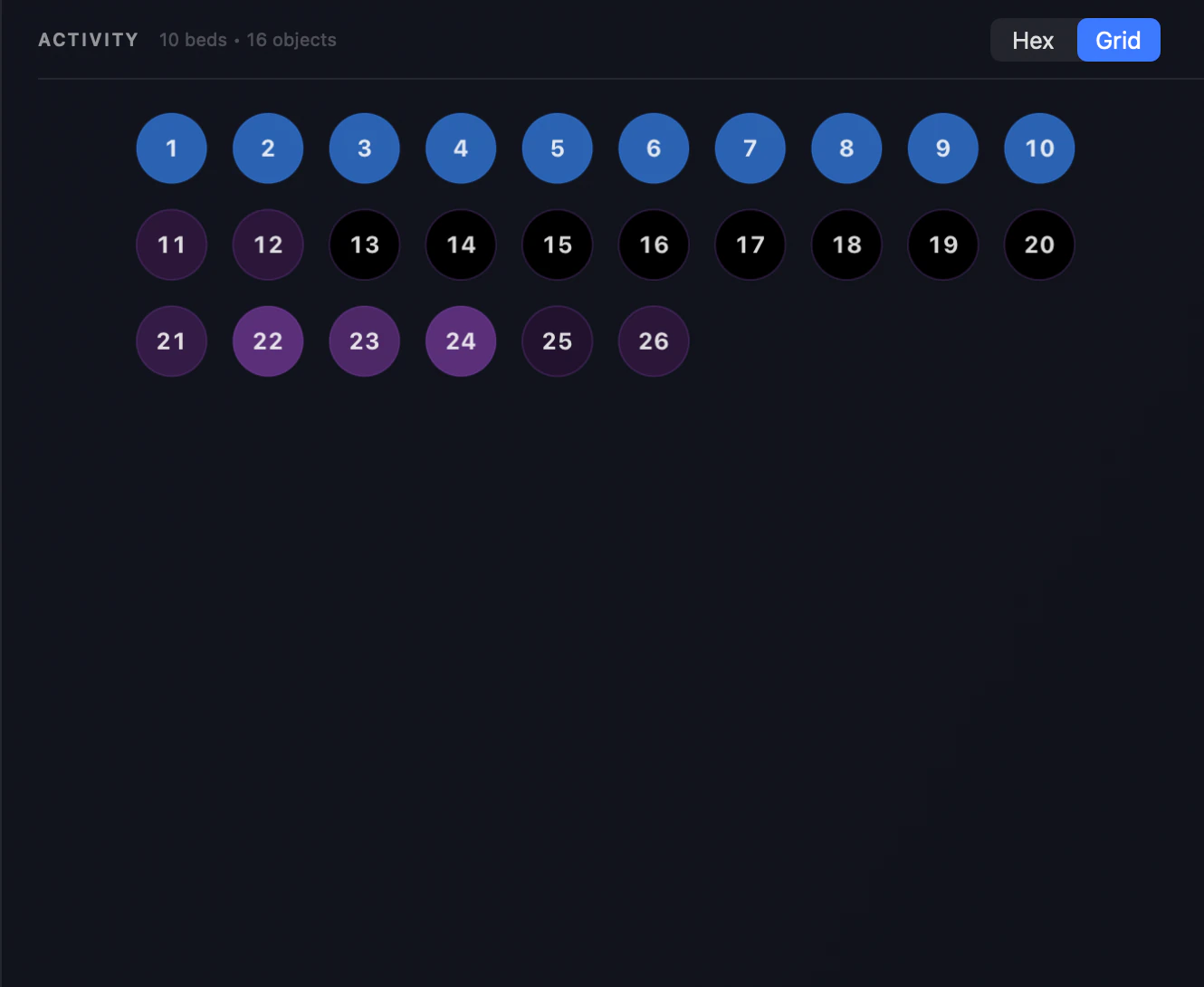
Hexagons or a grid
Two ways to read the same channels and objects. The honeycomb, now capped so a 7.1.4 bed doesn’t become a handful of enormous tiles — or a numbered grid in rows of ten that stays readable where the honeycomb becomes a wall of shapes.
Orbit Spatial, in the community.
Independent reviews and real renders — the engine at work in other people’s studios, in their words, not ours.
One engine. Choose your depth.
Every edition is the same reference renderer — priced for the work in front of you. One-time purchase; try Pro free for 14 days.
Orbit 1.5.7 — and a First Look at 1.6.0
A release for speaker rooms: change layout without leaving the main window, calibrate your speakers once and keep that calibration on every layout, save it as a Room, and test your wiring from Preferences. Time alignment now actually aligns, speaker calibration is no longer Pro-only, and you can keep a library of your own HRTF profiles. Plus a first look at the Analyser page coming in 1.6.0.
Senda Link 1.0 — a free virtual audio cable for macOS
Route audio between apps on macOS with five virtual devices — 2, 8, 16, 32 and 128 channels — at up to 192 kHz, 32-bit float. Free, open source under Apache 2.0, no account and no telemetry. Apple Silicon, macOS 13+.
Orbit 1.5.6 — Room to Work
A look-and-feel release. The Overview page and footer lose their panel boxes and fill the window, Activity gains a numbered grid alongside the honeycomb, the 3D scene can take the full row and zoom on the sweet spot, and the level at which an object counts as active is now yours to set — down from roughly −30 dBFS to −62 by default. Plus a rebuilt object list with SILENT tags, a new Diagnostics panel, and the looping fix in build 4.