

Start here
Three ways in
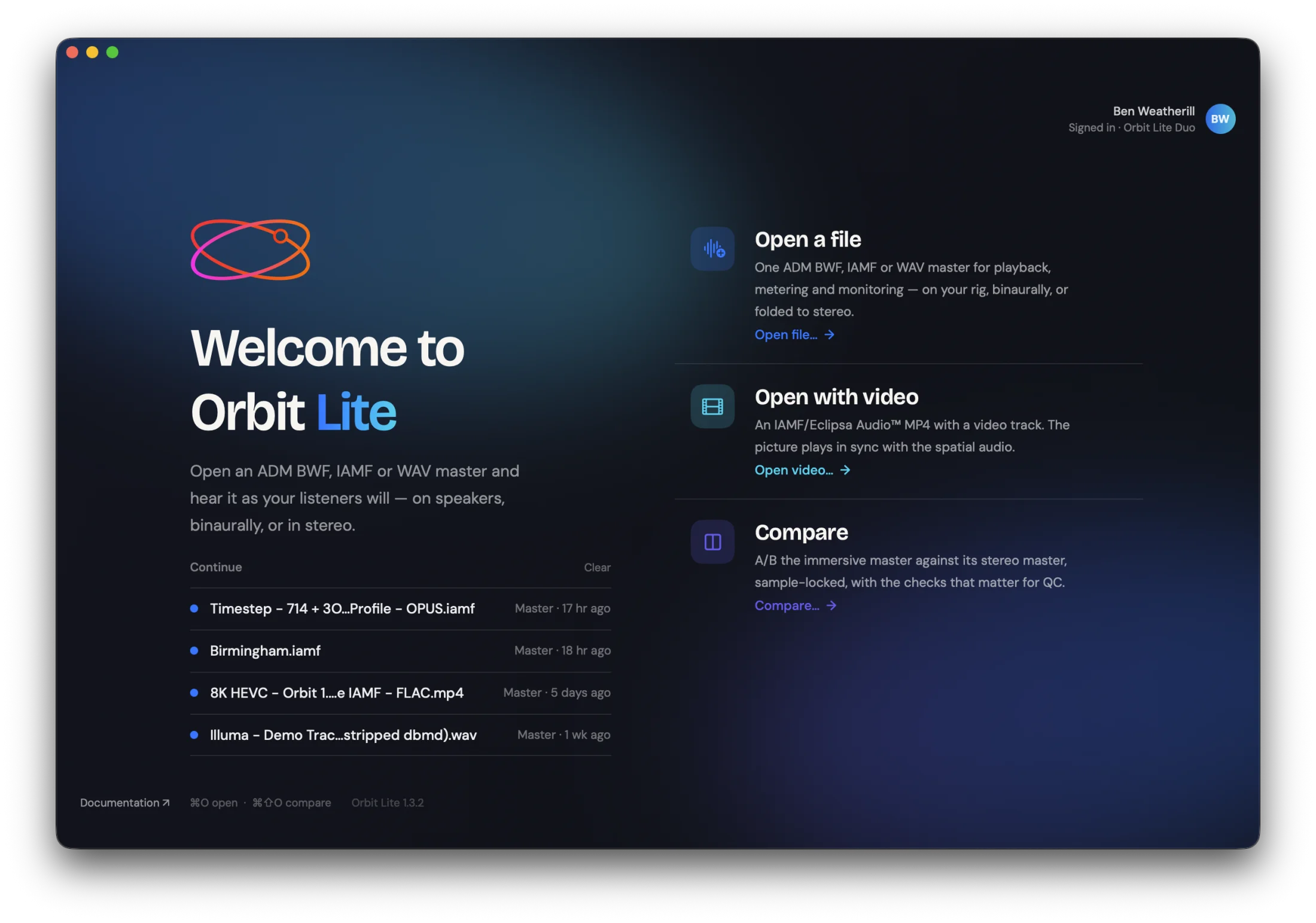
Open a master, open it with its video, or compare it with the stereo master.
The masters you played last wait under Continue, and ⌘O opens any ADM BWF or IAMF master, as .iamf or as an MP4 with or without its picture.
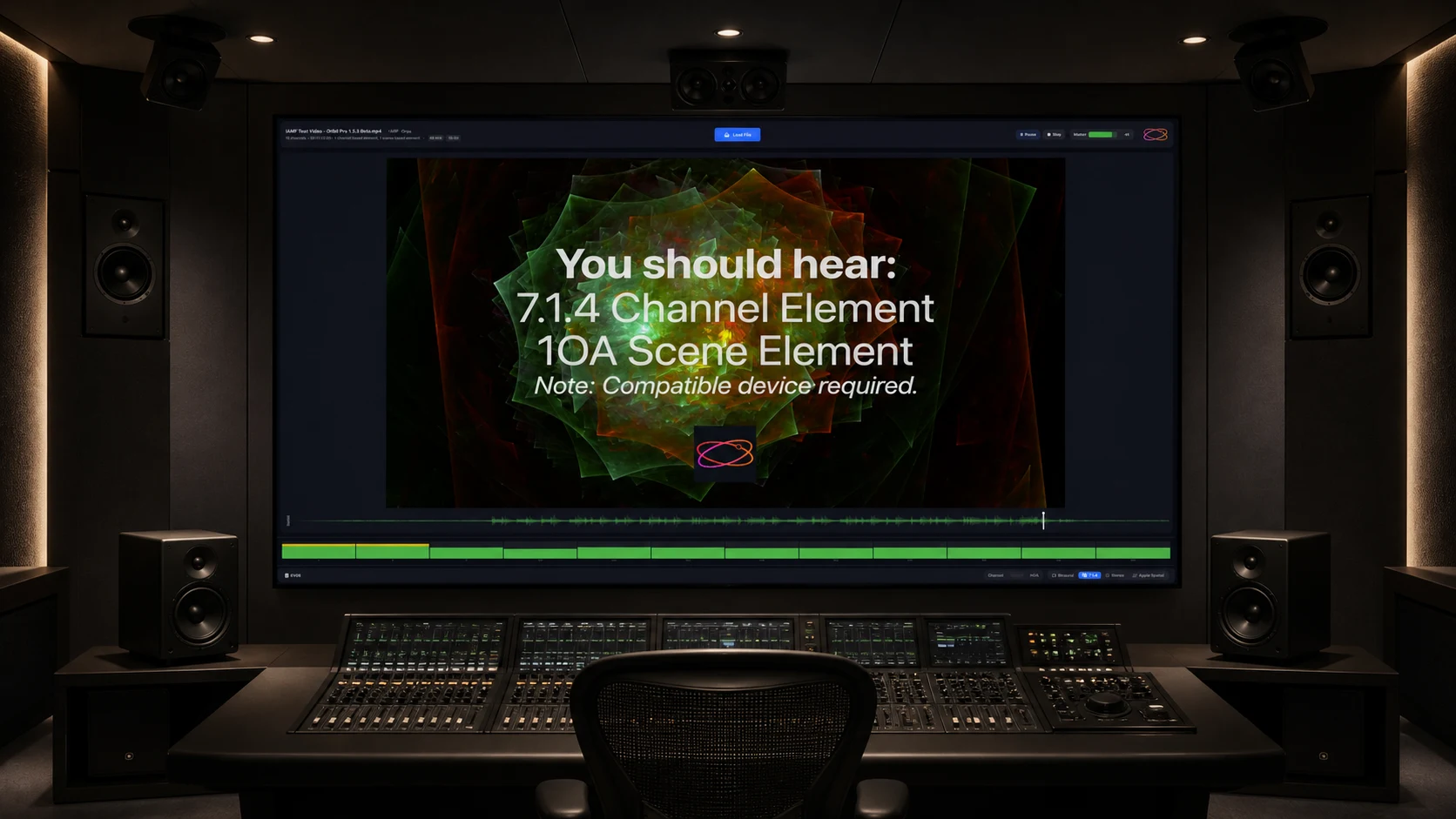
Open an ADM BWF or an IAMF file and hear it properly — through your rig, your headphones, or an iPhone on the train. The same app on every one — one licence for all of them, or £14.99 for iPhone and iPad alone.
“It lets me review my mixes outside the studio, anywhere, before sending them to the client.”
Three devices, the same app, the same playback, the same sound. From the studio to on the go.
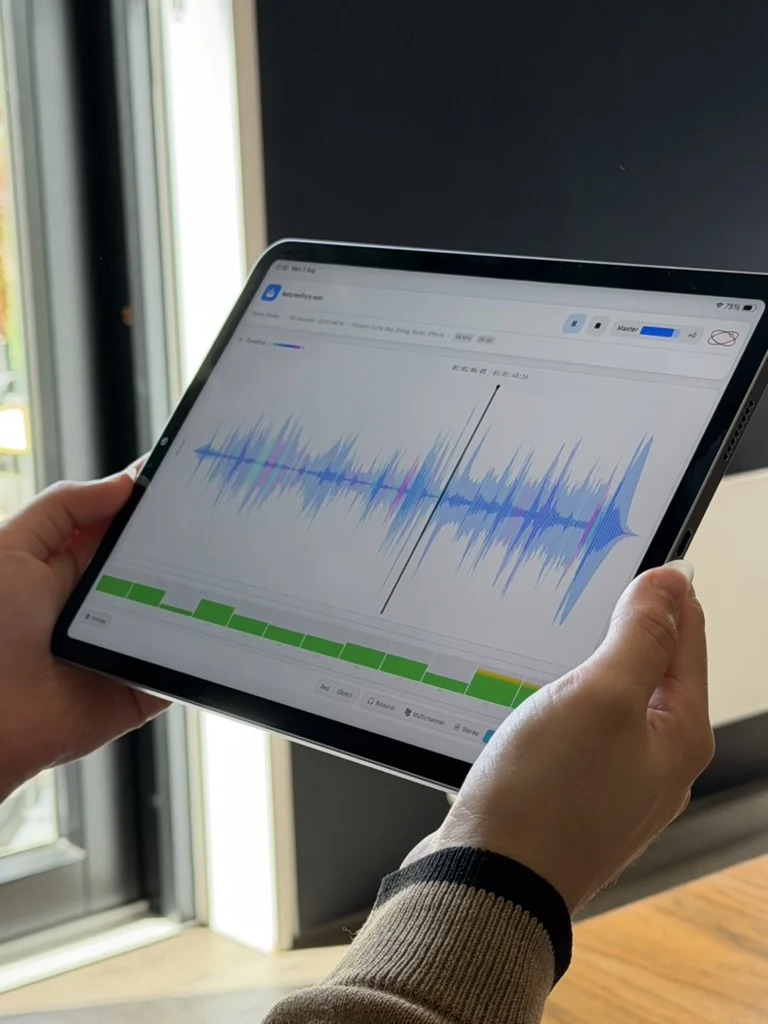
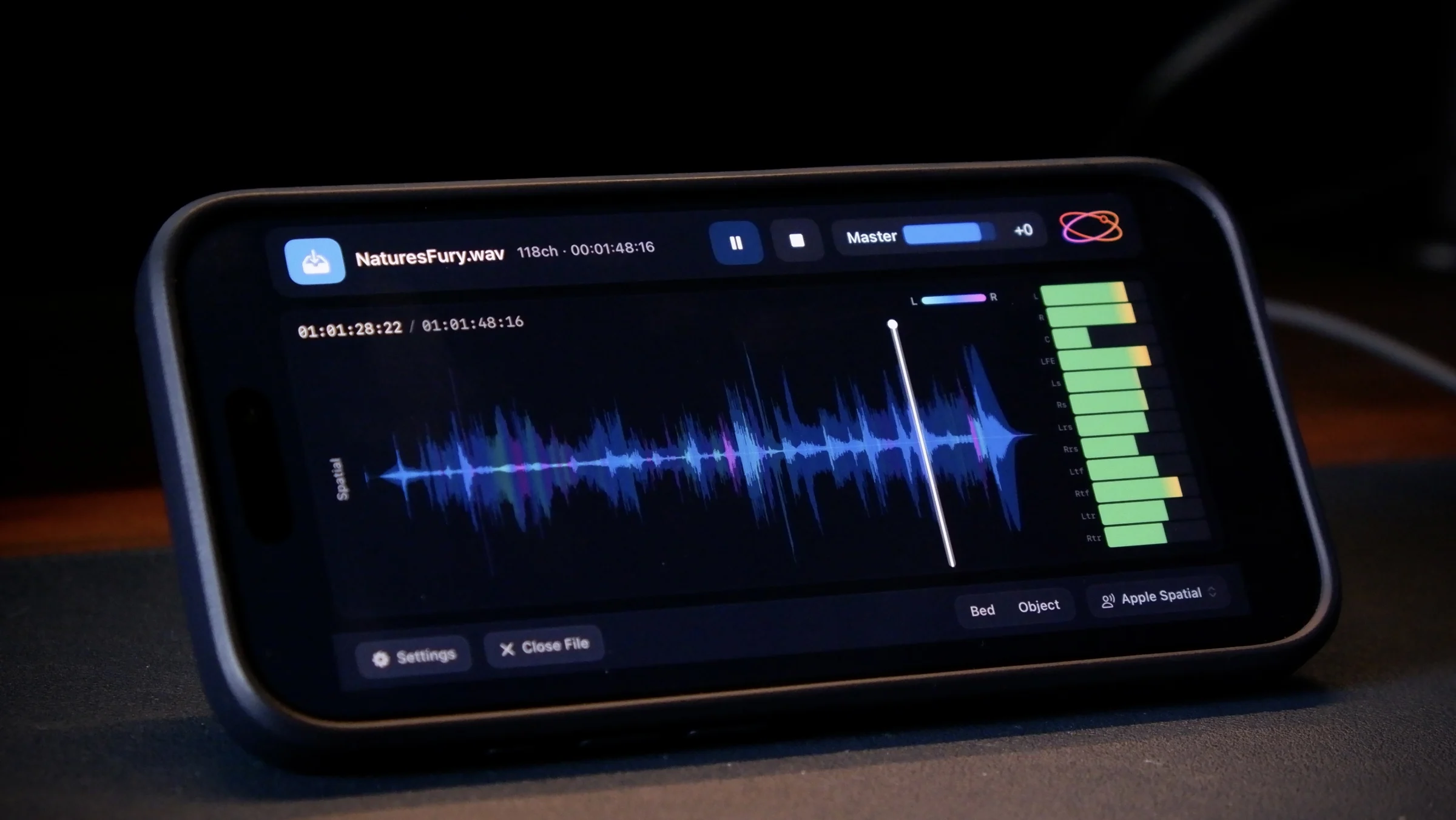

Free to download on iPhone and iPad. Sign in with your Orbit Lite licence, start the 14-day trial in the app, or buy Orbit Lite for iOS in the app — £14.99 at launch.
Not a mixing tool, and not trying to be. It opens the file, shows you what is in it, and plays it back exactly as it is.
Open a master, open it with its video, or compare it with the stereo master.
The masters you played last wait under Continue, and ⌘O opens any ADM BWF or IAMF master, as .iamf or as an MP4 with or without its picture.
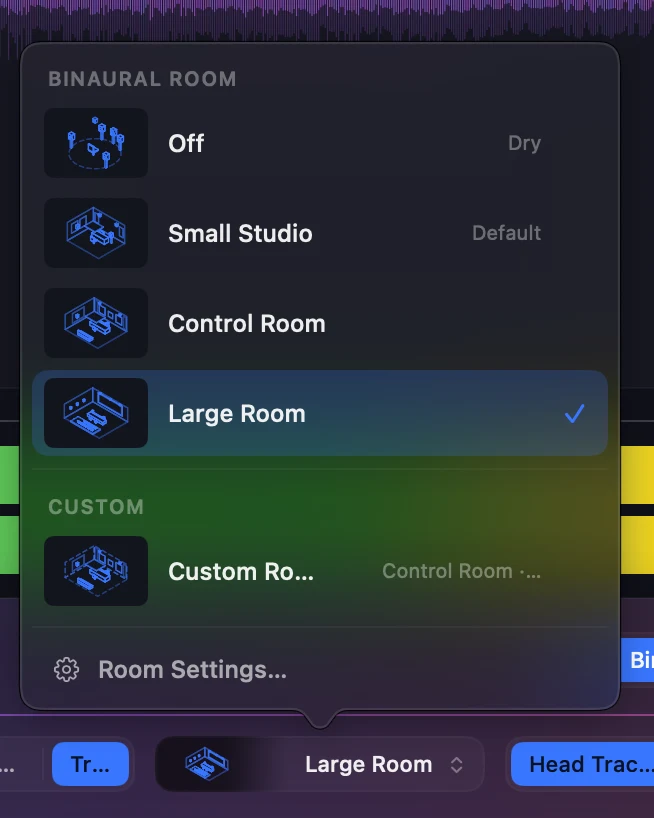
Headphones that sound like a studio, not the inside of your head.
Pick Small Studio, Control Room or Large Room from the footer, or make your own with a Room and a Tone knob. The room stays put as you turn your head, and every room plays at the same level as Off, so you’re comparing rooms, not loudness.
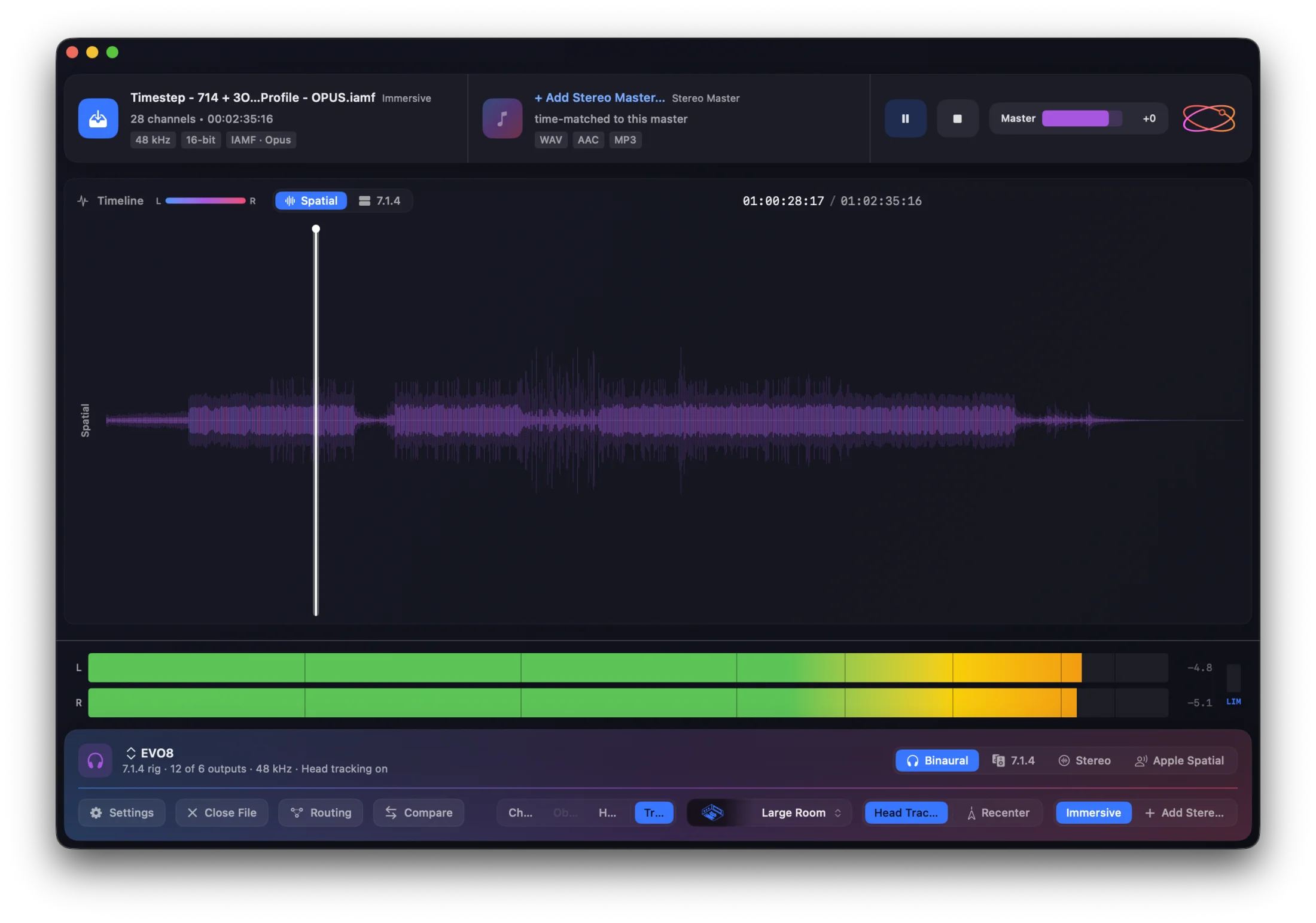
Hear whether both versions tell the same story — without swapping files.
Add the stereo master beside your ADM and Lite lines the two up, so you can flip between them mid-playback. Compare checks the length, sample rate and channel count before you listen.
Set it up for the room you are in — a bright edit suite or a dark dub stage.
A new header puts both masters side by side, and a new footer keeps every control in one row. Light or dark as before, your colours on the waveform and each lane of the 7.1.4 view, and a switch between the spatial overview and every channel.
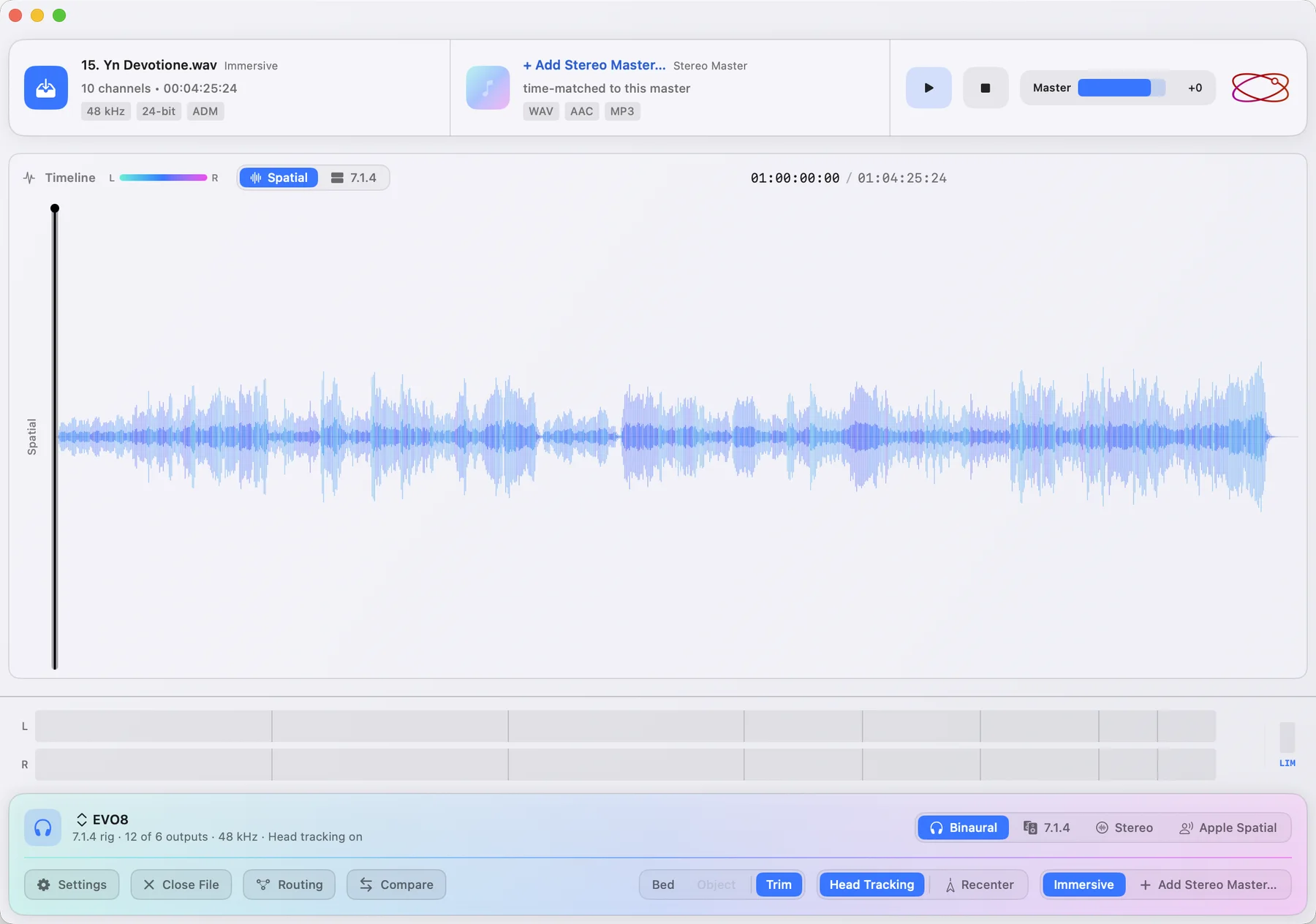
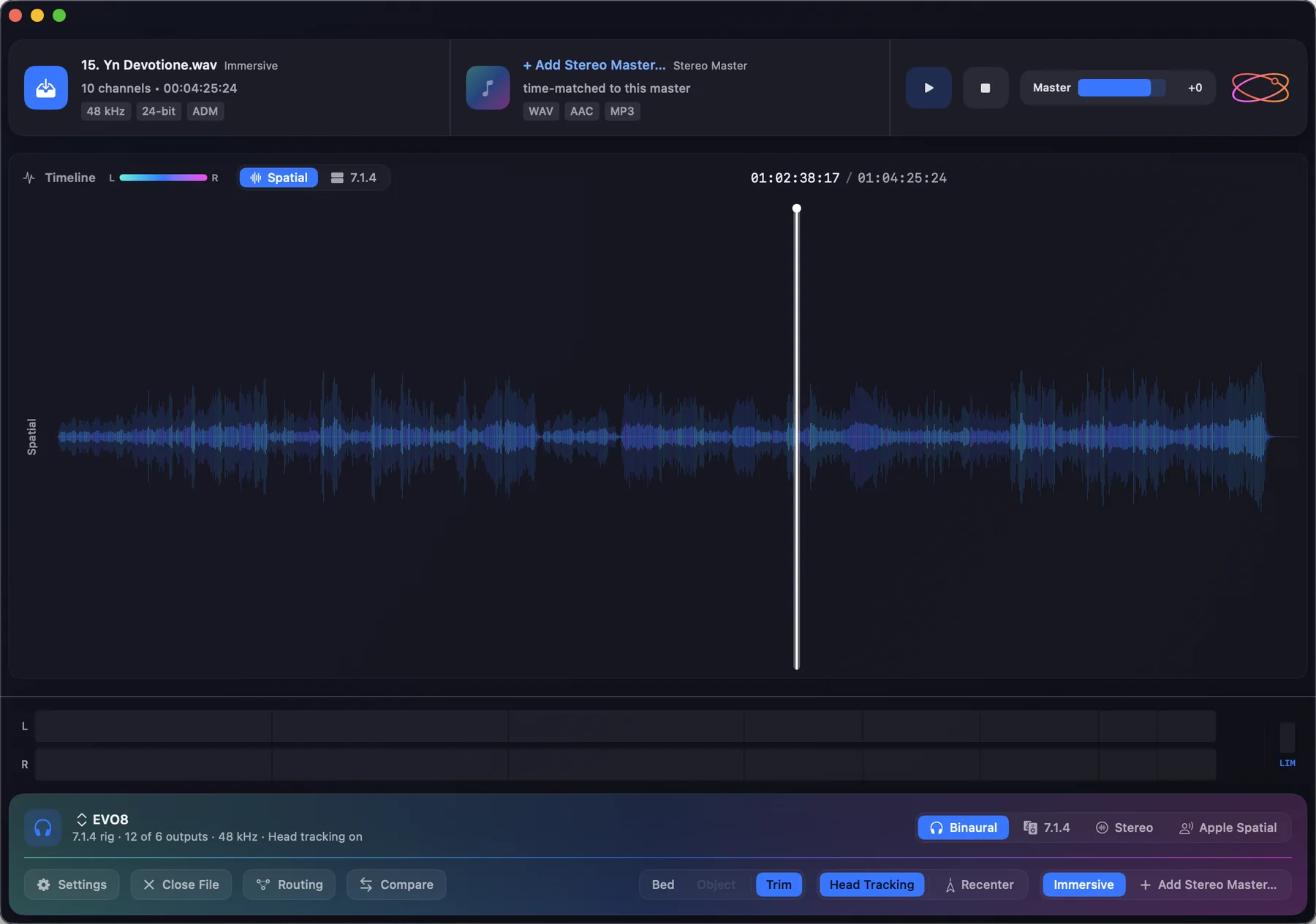
See a problem before you have to go hunting for it.
A meter bridge that grows with your layout — presets or your own custom rigs, up to 24 channels — in whatever colours you want to look at all day.


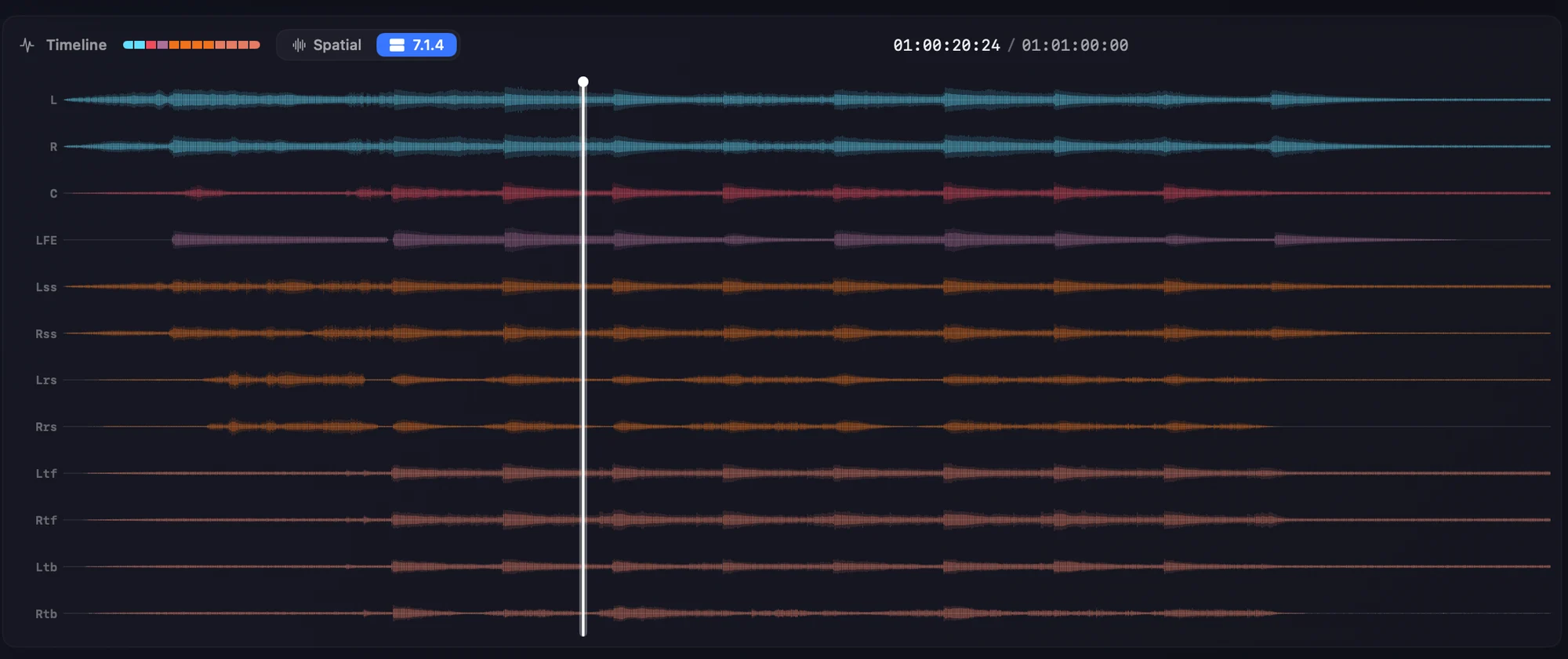
Know what is in the heights before you press play.
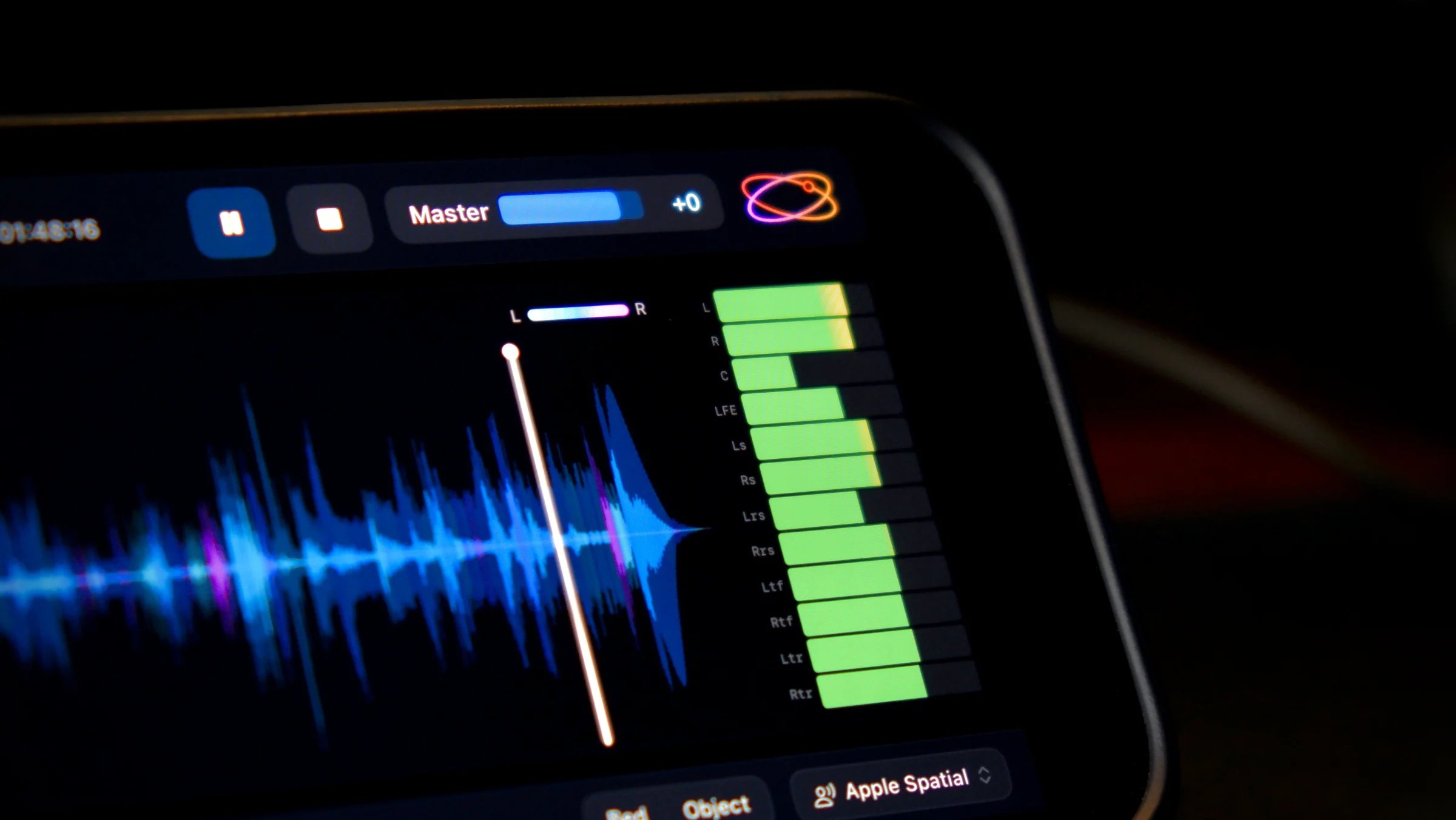
The 7.1.4 view runs the master through our own renderer and lays the fronts, sides, surrounds, heights and LFE out as their own lanes. It is a view only — monitoring out to 5.1, 9.1.6 or anything else is untouched.
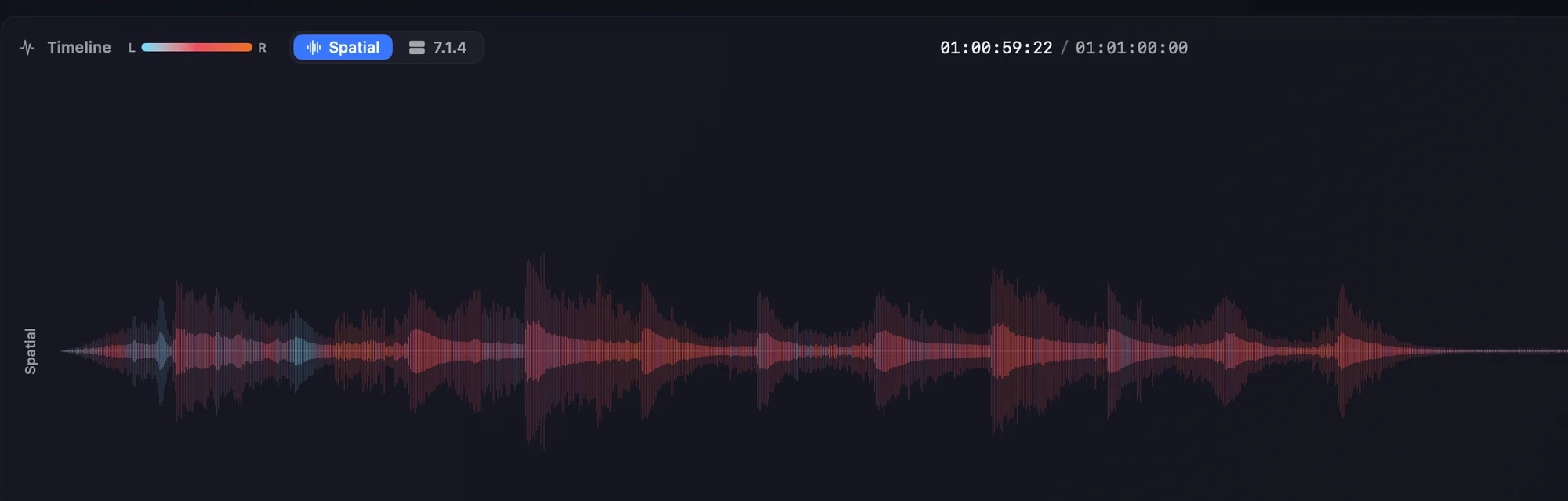
Or switch to the spatial view.
One waveform, coloured by where the content sits from left to right.
Check the alternates without chasing a second deliverable.
Open an ADM BWF and switch programme, language and audio description straight from the file.
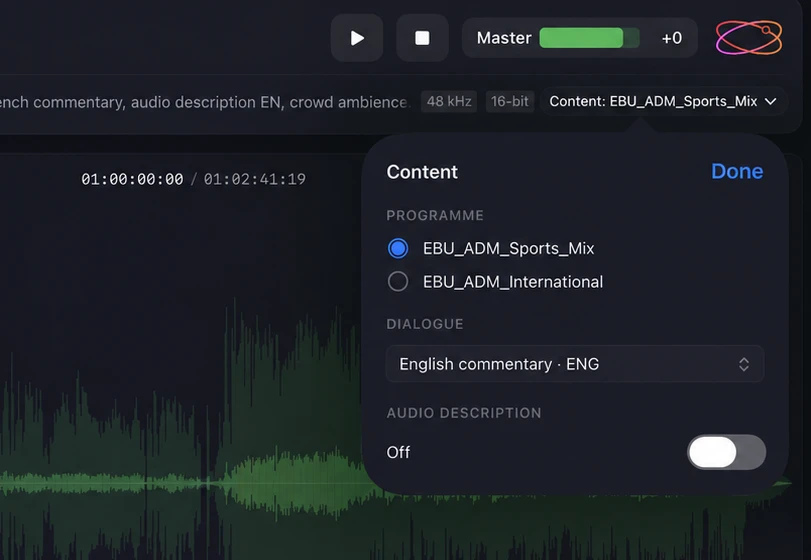
Shown in Orbit Lite 1.2.
Play the exact .iamf or .mp4 you are about to upload — locked to the cut.
Eclipsa Audio™, also known as IAMF, is supported right up to the latest draft of the specification — Simple, Base and Base-Enhanced profiles, objects included. Switch mix presentations and run picture in sync at up to 4K. Playing IAMF files, answered →
Shown in Orbit Lite 1.2.
What you hear on headphones is what the rig is doing.
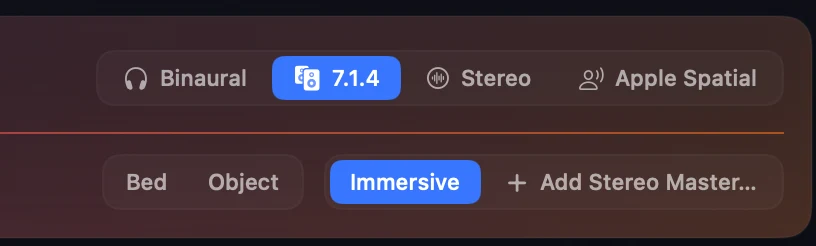
Speakers, head-tracked binaural on the Orbit Studio HRTF, Apple Spatial Audio (Apple Silicon Macs, iPhone and iPad) or a stereo fold-down — every one rendered by OrbitCore, our own immersive audio engine, from the same speaker feeds.
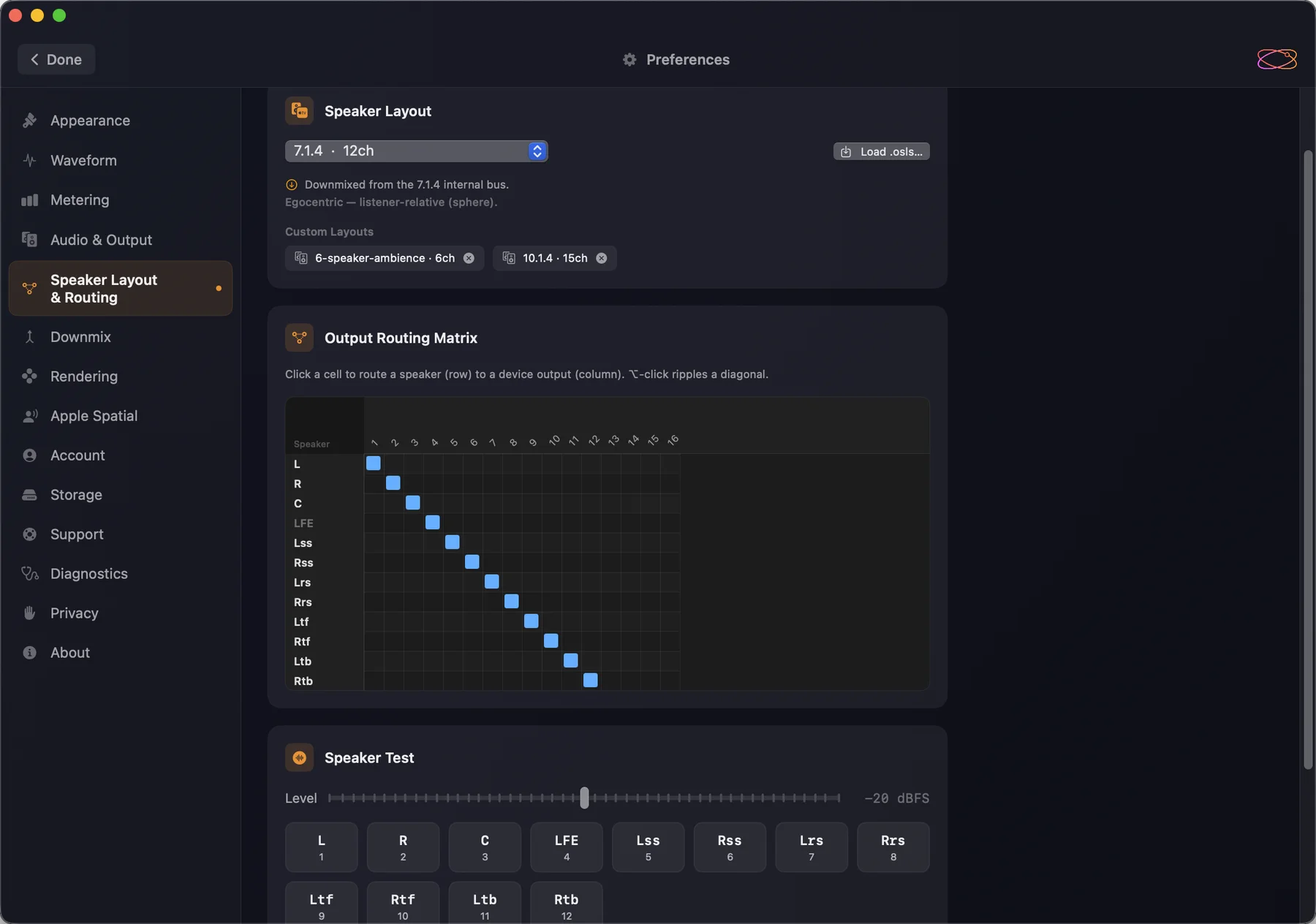
Catch a swapped pair or a dead top in seconds — not halfway through a session.
Routing and noise testing are built in: send each channel to the output it belongs on, then fire noise at one speaker at a time and listen for which one answers.
Spread a channel over a whole wall, the way a cinema plays its surrounds.
An array is several speakers playing one channel. Give the side surround three speakers and the whole wall carries it, each at an equal share so together they’re as loud as one. Objects and ambisonics still pan to every speaker on its own, so movement down the wall gets finer. Pick a channel, click its speakers on the room plan, and that’s the array.
Shown in Orbit Pro. Speaker arrays look and work the same in Orbit Lite, Standard and Pro, and are only on macOS and Windows (private beta) at this time.
Your room, not the nearest preset.
Unusual room or a custom rig? Describe any layout up to 24 channels in OSLS, our open speaker-layout format, and Orbit Lite plays to it properly instead of folding it into something close enough. osls.io →
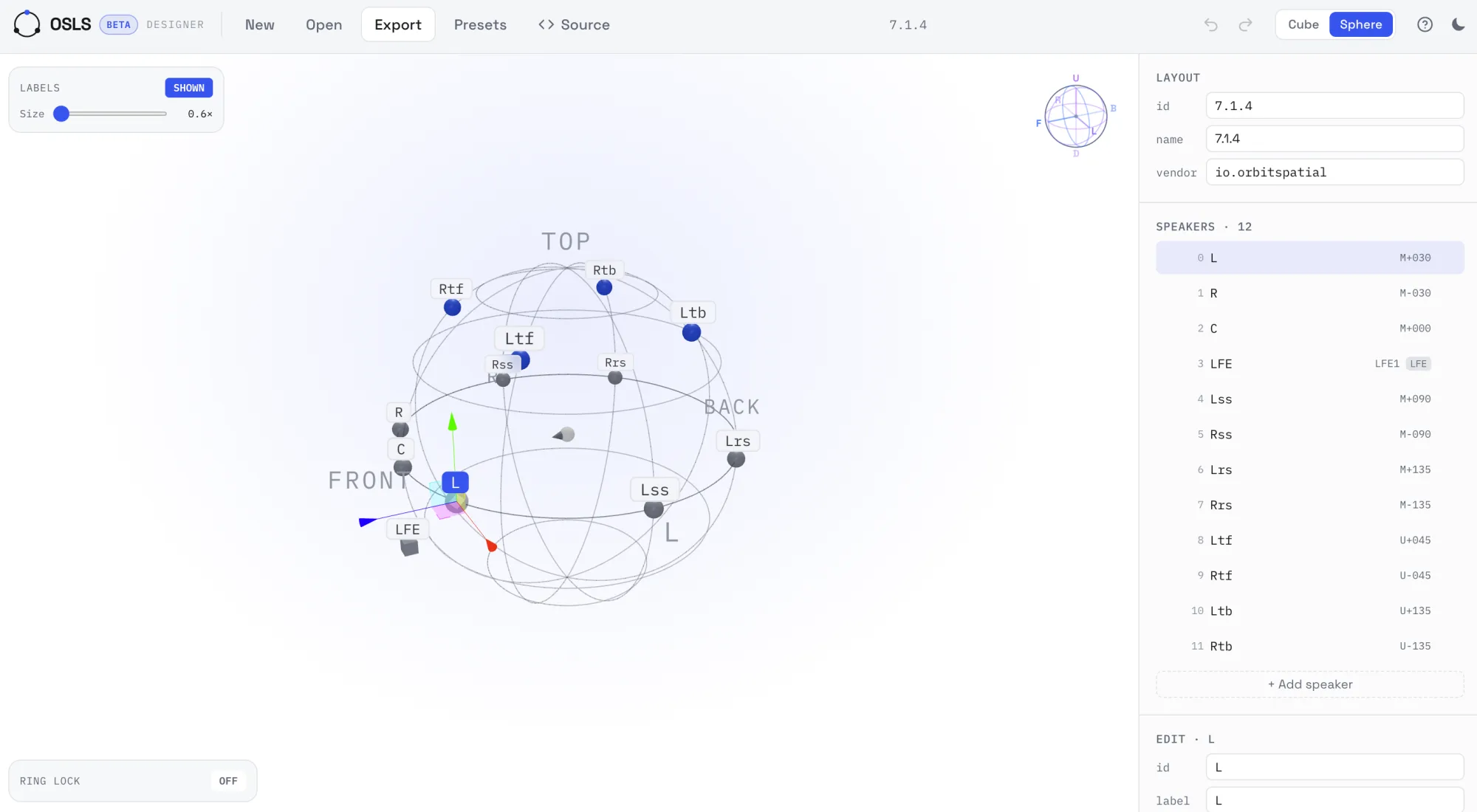
The free OSLS designer at osls.io.
Bring it whatever you have.
“I use Orbit Lite on my iPhone to listen to the immersive masters I create in Orbit Pro. Large IAMF and Eclipsa files open and play perfectly, anywhere I go. I can also listen to ADM master files and hear how my mixes will sound in Binaural and Spatial Audio right on my phone. And it’s not just files created in Orbit Pro — it can open any ADM file exported from Pro Tools, Immersive Master Pro or other renderers. It lets me review my mixes outside the studio, anywhere, before sending them to the client.”
Same engine, same fidelity. Lite plays the master; Orbit measures it.
iPhone, iPad and Windows. Orbit is macOS only.
Lite 24 channels Orbit 64 channels
Need loudness metering, object inspection, PDF reports or IAMF export?
Orbit Lite Duo is the one licence for every platform — Mac and iPhone and iPad today, Windows when it launches — and it is sold only here, not on the App Store. Orbit Lite for iOS is for iPhone and iPad only, and is sold only on the App Store, in the app.
Own Lite Duo? Sign in on your iPhone or iPad and the app uses one of your activations. There is nothing to buy in the app.
Only from orbitspatial.io. One-time purchase.
Only on the App Store, in the app. One-time purchase. Free to download, 14-day trial inside.
One licence covers every platform and activates on any two devices at once, so the requirements below are listed per device. They are floors — what the device needs, not what Lite uses. Its own footprint is a small fraction of them.
macOS 14 (Sonoma) or later · Apple Silicon, or Intel in beta · 8 GB RAM · 1 GB free
From the Orbit Lite 1.3.2 beta, the Mac app is a Universal build: it runs natively on Apple Silicon and Intel. Apple Spatial Audio is available on Apple Silicon Macs and on iPhone and iPad, not on Intel Macs. The memory figure is what the Mac needs, not what Lite takes.
iOS or iPadOS 17 or later
We advise against Low Power Mode — it throttles the processing Lite relies on for glitch-free playback. Multichannel playback through a class-compliant audio interface needs an iPhone with USB-C.
Not confirmed yet
We expect Windows 10 or later, 64-bit, and will confirm the requirements before release.
Two devices per licence, in any combination
A Mac and an iPhone, or two Macs — any mix you like, and you can move an activation whenever you change devices. Sign out on a device whenever you like and its activation frees up straight away, ready to use somewhere else.
Fourteen days, free, on Mac, iPhone and iPad. No card needed.