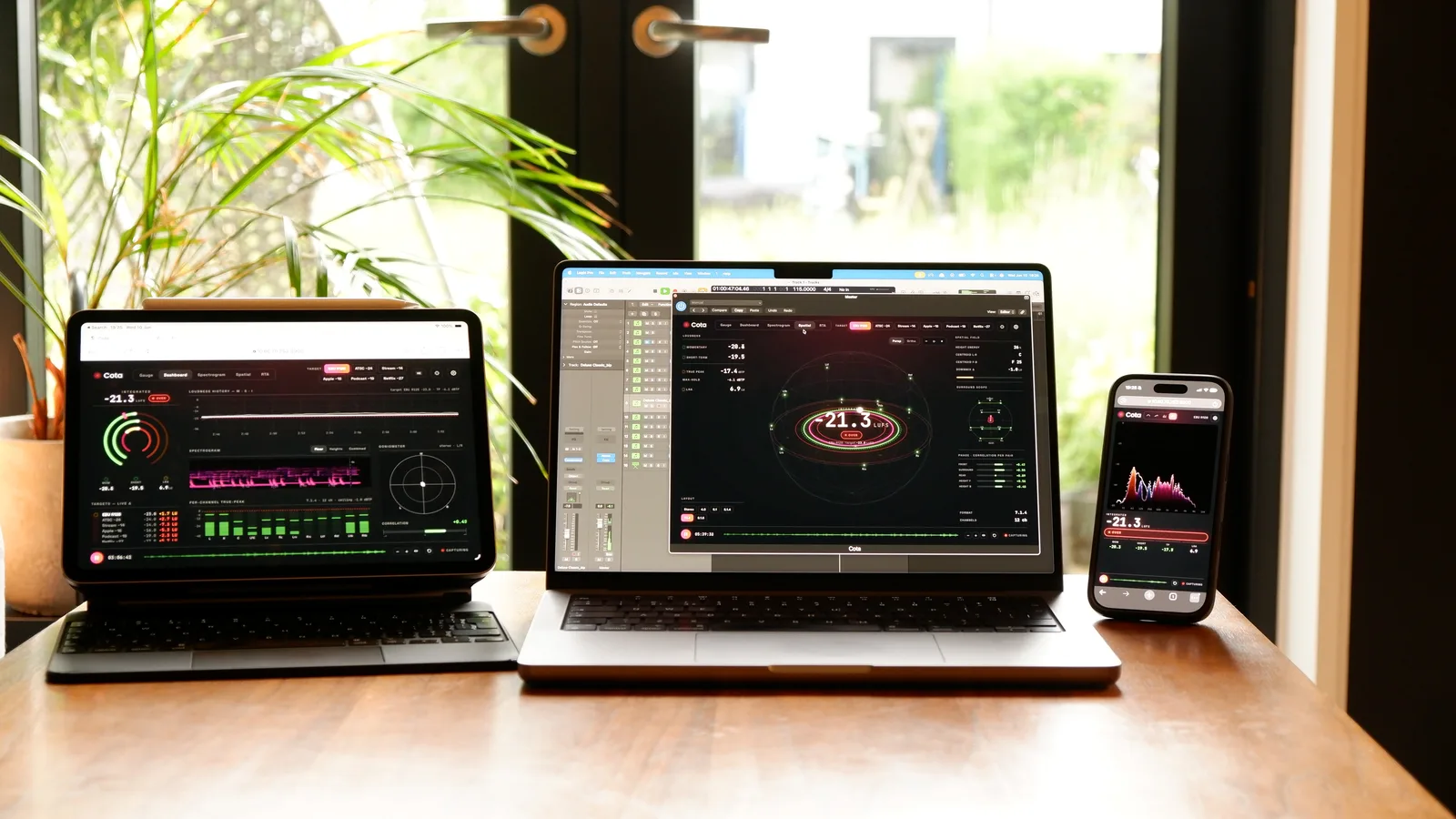
See What You Hear
Professional ADM visualization and QC in three dimensions. From full 7.1.4 systems to headphone binaural — experience immersive audio without complexity.
24 features — Pro adds 11
Every Orbit edition shares the audio engine and the spatial QC suite. Pro layers on the finishing tools — sessions, video, IAMF / AXML export, multi-track playback, and the bigger workflow surfaces.
Save Your Place,
In One File
Save the full state of your work as an .orbsession file — loaded ADM or IAMF (Eclipsa), video clips, markers, loop regions, layout, the lot. Open it tomorrow, on another Mac, in another studio, and pick up exactly where you left off.
Self-contained
Audio, video, markers, layout, settings — packaged into a single portable file.
Sharable
Hand a session to a colleague, open it on the studio iMac, archive for next year — the state goes with it.
Resumable
Loop region, scrub position, marker selections — every UI state restored when you reopen.
Picture & Sound,
In One Timeline
Sync video to your ADM masters, then cut, trim, and arrange clips on a multi-clip video timeline with scrub, loop, and snap. Export an IAMF + MP4 bundle ready for delivery to platforms that accept the format — ideal for creators working across sound and picture.
IAMF / Eclipsa,
Bit-Identical
Take your ADM BWF masters straight to IAMF — the new immersive audio standard powering YouTube's Eclipsa Audio. Pick your codec, profile, and render targets in one window. Bit-identical playback to Orbit's desktop reference, every time.
Codecs
Opus, AAC-LC, FLAC, LPCM — pick the trade-off that fits your delivery target.
Profiles
Simple, Base, or Base Enhanced — spec-compliant IAMF for every platform tier.
Render Targets
Stereo, 7.1.4, binaural — every render bit-identical to what you hear in Orbit.
AXML, Standalone
For Round-Trips
Extract the structural metadata of any ADM master as a standalone AXML file — the same XML that lives inside a BWF, pulled out so you can read it. Brilliant for confirming the file actually got encoded the way you expected, and a fantastic teaching tool for showing people exactly what makes an ADM tick.
Shown opened in VS Code · A built-in AXML viewer is coming soon
Spec-compliant XML
Pure ITU-R BS.2076 AXML — exactly the structure that lives inside the BWF, nothing added, nothing lost.
Verify encodes
Confirm a deliverable actually got the channel layout, object count, and metadata it was supposed to carry — before it ships.
Teaching tool
Show students, clients, or new engineers exactly what makes an ADM tick — every audioObject, every block, every reference, plain XML.
Tight Loops,
Deep Zoom
Drop a loop region around any section and let it cycle while you tweak parameters or check a difficult passage in context. Zoom deep into the waveform to isolate transients, debug crossovers, or scrub fades sample-accurately.
Notes That Travel
With The Mix
Drop markers anywhere on the session, link them to specific objects, and add comments. Each marker carries the time, the linked objects, and your note. Export the full marker map as a shareable PDF for stakeholders or as CSV for issue trackers and spreadsheets — review without ever opening Orbit.
One Mix Down,
One Click
Queue multiple ADM and IAMF tracks and let Orbit roll through back-to-back. Auto-advance moves to the next track when one finishes — perfect for album reviews, batch QC, or letting clients hear the whole shortlist without you driving the transport.
Queueable
Drop ADM and IAMF tracks into the playlist, drag to reorder, save the queue with the session.
Auto-advance
Track ends, the next one starts. Or pause between for client check-ins. Toggle per session.
Mix-down friendly
Album QC in one sitting — loudness check the whole record, then the singles, without re-loading.
Every Track,
Side By Side
Show every track's waveform at once — beds and objects stacked vertically — so you can scan an entire session in a single view. Find the one track with a level issue, the one object with a silent gap, without drilling through each one individually.
Stacked
Every bed and object on its own row, time-aligned, time-locked to the master scrubber.
Scannable
Spot anomalies — silent gaps, level mismatches, dropped objects — in seconds, not minutes.
One Track,
Every Trajectory
Drill into any track to see its waveform alongside the X / Y / Z position trajectories — the spatial movement of an object visualised against the audio that drives it. Catch trajectories that don't match the audio energy, find dropped automation points, sanity-check spatial design before render.
Match Your Room,
Not The Spec
Calibrate Orbit to the physical positions of your monitors — wherever the speakers actually sit, the binaural and stereo fold-down compensate so what you hear matches what would play back on a perfect 7.1.4 rig. Currently in development; ships in a future Pro update.
In development
Beta testers will get the calibration view ahead of public release. Ships under the same Pro licence — no extra purchase, no upgrade fee.
Targeting a Pro point release later in 2026.
Dark Theme,
Studio Mode
Pro unlocks the dark theme that's been the studio standard since Orbit launched. Lower glare in dim mix rooms, deeper contrast for waveform and timeline detail, and a UI that disappears when you're focused on the audio. Drag the slider below to compare.
The shared baseline.
Every Pro licence inherits these — and Standard ships with them at the lower tier. Same audio engine, same fidelity, same QC suite.
Three Dimensions,
Zero Guesswork
Watch audio objects move through space in real-time. A coordinate gizmo shows X, Y, and Z axes so you always know your orientation — just like a game engine.
Room Modes
Choose the visualization style that works best for your workflow
Position Tracking
Follow object automation as it plays back through your mix
Object Soloing
Isolate individual elements to verify positioning accuracy
Scene-Based Audio,
Fully Supported
Orbit 1.4 ships with first, second, and third order Ambisonics — in both ADM BWF and IAMF (Eclipsa). Sound fields decode alongside your beds and objects, rendered through the same 7.1.4 speaker bus and binaural pipeline as everything else.
FOA, 2OA & 3OA
First, second, and third order Ambisonics decode and render through Orbit's speaker and binaural outputs
Mixed Scenes
Beds, objects, and Ambisonics together in one file — ADM or IAMF. Orbit handles the lot in a single session
Metadata You Can Trust
Normalisation badges, per-channel source tags, and pack IDs — see exactly what the file declared
Every Object,
At a Glance
See all beds and objects in a single view. Active channels light up, silent ones stay dim — spot missing content instantly without scrubbing through your entire file.
Active objects pulse with color — beds in blue, objects in your theme color — while silent channels stay dimmed
Click any object to highlight it in the 3D view — double-click to solo and hear it in isolation
Quickly verify all expected objects are present and active — spot missing content without scrubbing
Your Content,
In Detail
High-quality waveform timeline packed with information. Two view modes show you exactly what's happening in your immersive mix.
See the left/right weight of your content across the spatial field
Full 7.1.4 waveform — see exactly what's coming out of each speaker
Solo any speaker group and see it highlighted instantly in the waveform
High Resolution
Crystal clear waveforms
Toggle Views
Switch between Spatial and Multichannel instantly
Visual Solo
Soloed channels highlight in the timeline
Four Ways to
Experience Sound
From full speaker systems to headphones, Orbit adapts to your monitoring environment.
Coming soon: 5.1.4 and 5.1 output modes — with even more formats on the way.
Full Immersive
Output to physical 7.1.4 speaker systems with flexible channel routing. Map any speaker to any output for complete studio integration.
Binaural
HRTF-based headphone monitoring with head tracking support for AirPods and camera.
Stereo Fold-down
Intelligent downmix to standard stereo. Perfect for quick reference checks.
Apple Spatial Audio
Hear what your audience hears on Apple Music with Apple's own spatial renderer.
Hear What Your
Audience Hears
Check what your mixes will sound like on Apple Music. Orbit uses Apple's own spatial renderer — the same engine powering Spatial Audio for millions of listeners on AirPods, Beats, and Apple headphones.
Uses your iPhone ear scan for the most accurate spatial rendering
Apple's default spatial rendering — what most listeners experience
Works directly with AirPods Pro & Max — no camera needed
Apple Spatial Audio
Check what your mixes will sound like on Apple Music — before they go live.
Turn Your Head,
Sound Follows
Real-time head tracking for truly immersive binaural monitoring. Use Apple Spatial Audio with standard or personalised profiles, AirPods, or your Mac's camera.
Apple Spatial Audio
Standard & personalised profiles
Camera Tracking
Built-in or external webcam
AirPods
Native Pro & Max support
Your Ears,
Your HRTFs
Built-in HRTFs for accurate monitoring out of the box, plus custom SOFA import for personalised rendering. Orbit's 1,944-point HRTF grid enables precise binaural rendering for any speaker position.
High-quality synthesis HRTF for general listening, tuned for the best experience
Flat-response HRTF for accurate monitoring
2 SADIE II HRTFs included — no download needed
AES69-2022 — CIPIC, SADIE II, MIT KEMAR compatible
Full spherical coverage for accuracy
1,944 measurement points • Full spherical coverage
Frequency Response
Magnitude (dB) · Normalized at 1 kHz
Mix On Anything,
Hear It Honestly
Most of us don't mix on flat headphones — we mix on the cans we own. Orbit 1.4 ships with a Headphone EQ panel that flattens your headphones against a known target so what you hear is closer to what's actually in the file. Curated AutoEq-derived presets for the usual suspects (HD 650, HD 800 S, DT 770 Pro, LCD-X, AirPods Max, MDR-7506, and plenty more), a five-band tone tilt for taste, and a live response graph that draws the lot.
Compensation
Parametric correction curves derived from AutoEq, plus an automatic preamp so the total stays below unity gain. Reference (Harman 2018) for monitoring, or Music for a warmer tilt.
Tone
Five knobs — Bass, Lo-Mid, Mid, Hi-Mid, Treble — sit on top of compensation. Nudge for taste without touching the underlying curve. Double-click to reset.
Live Response
The graph at the bottom of the panel draws preset, tone, and combined curves in real time as you adjust — you see exactly what's being applied.
Parametric curves derived from AutoEq (MIT Licence). AutoEq data © Jaakko Pasanen.
Delivery Ready
Loudness Analysis
ITU-R BS.1770-4 compliant metering with peak hold and waveform theme matching, cross-validated against ffmpeg/libebur128 to within 0.05 dB on integrated LUFS. Broadcast delivery compliance you can trust. Read how we validated it.
Client-Ready
PDF Reports
Generate detailed reports from ADM BWF files. Visualize bed waveforms, object timelines, and positional automation for fast QC.
Verify content across every speaker position
Track X/Y/Z movement and size automation
Integrated LUFS, true peak, LRA, and time-series graph — measured by Orbit (ITU-R BS.1770-4)
Spot silent objects and missing content
Flexible
Output Routing
Full control over every output channel. Map any speaker to any device output — Orbit adapts to your studio setup, not the other way around.
Instantly spot when multiple channels share the same output — no more silent speakers
Separate output selection for binaural and stereo folddown — headphones on outputs 23 & 24? No problem.
Works with any Core Audio device — route to the exact outputs your interface provides
Your Room,
Your Setup
Configure Orbit's virtual speaker environment to match your real-world studio layout.
Ready to Experience
Orbit?
Start delivering flawless immersive audio today.
Purchase Orbit Purchase OrbitApple Silicon · macOS 14+