

Loudness
Read your loudness at a glance
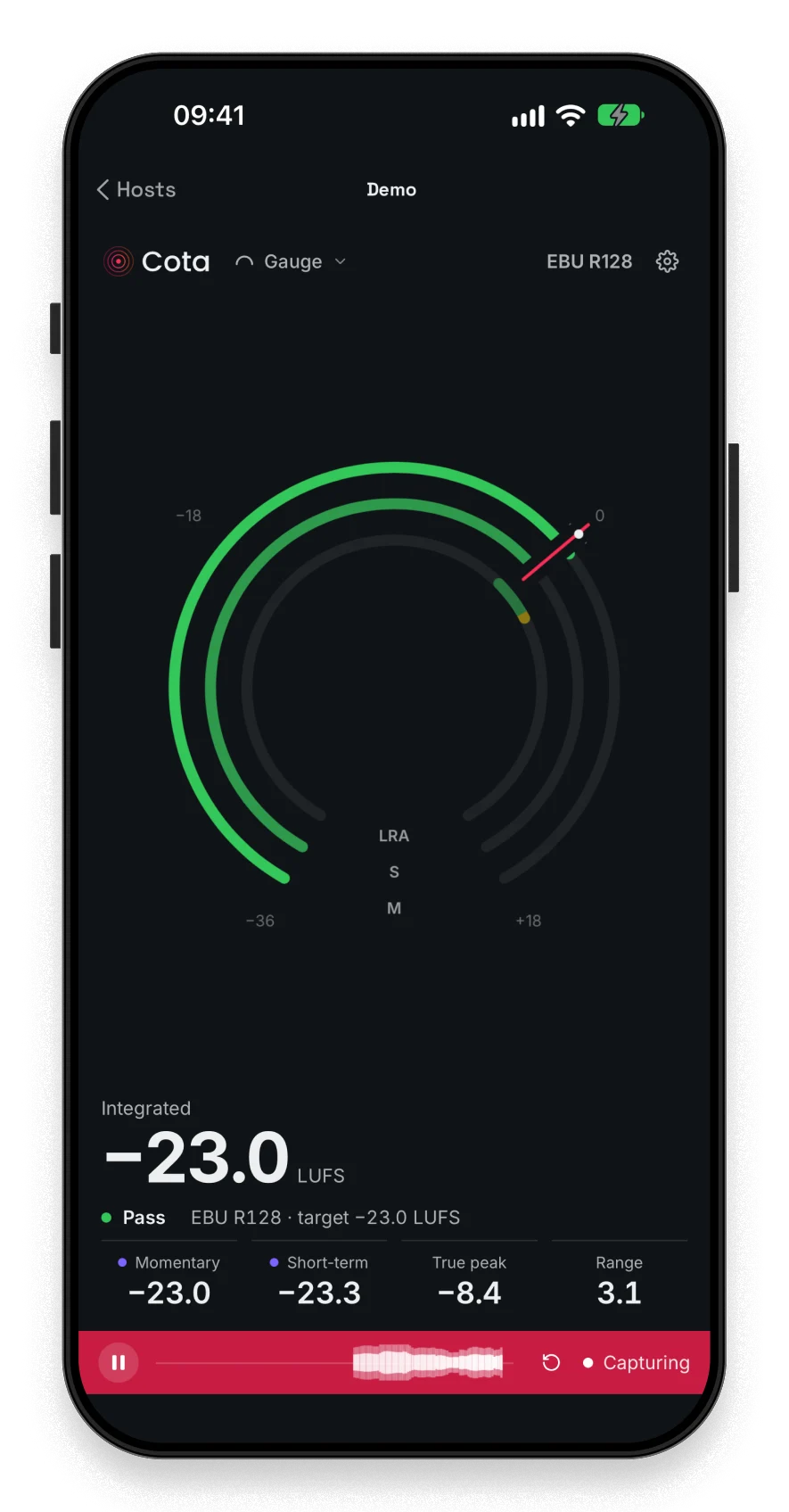
On target or not, before you’ve read a number.
Integrated, short-term and momentary LUFS, loudness range and true peak on one gauge, with a live pass or fail against your target.
Loudness to ITU-R BS.1770-5 and a full spatial analyser, from stereo to 9.1.6. In your DAW as a plugin, or on its own.
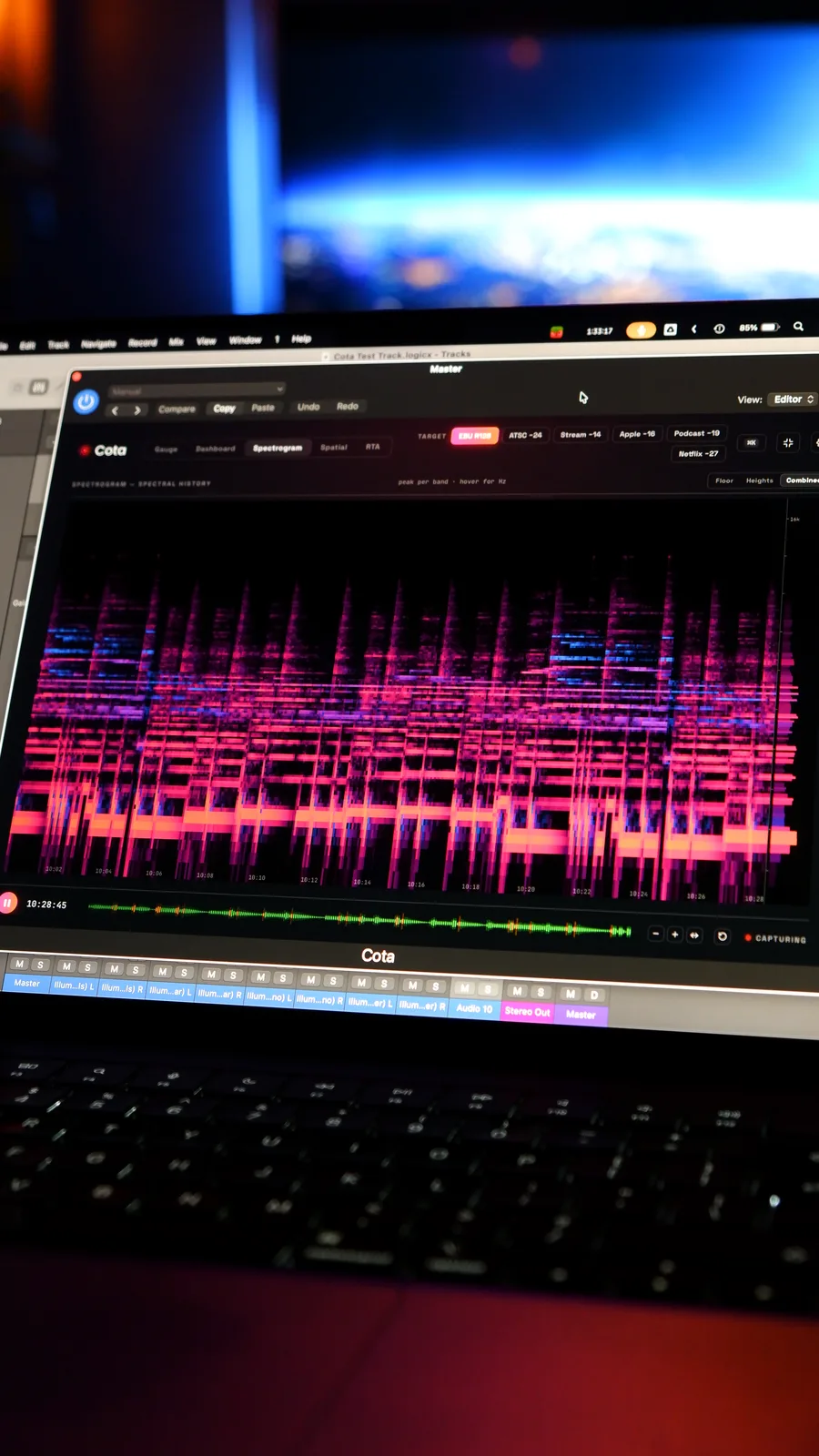
Recorded in Cota 1.1.
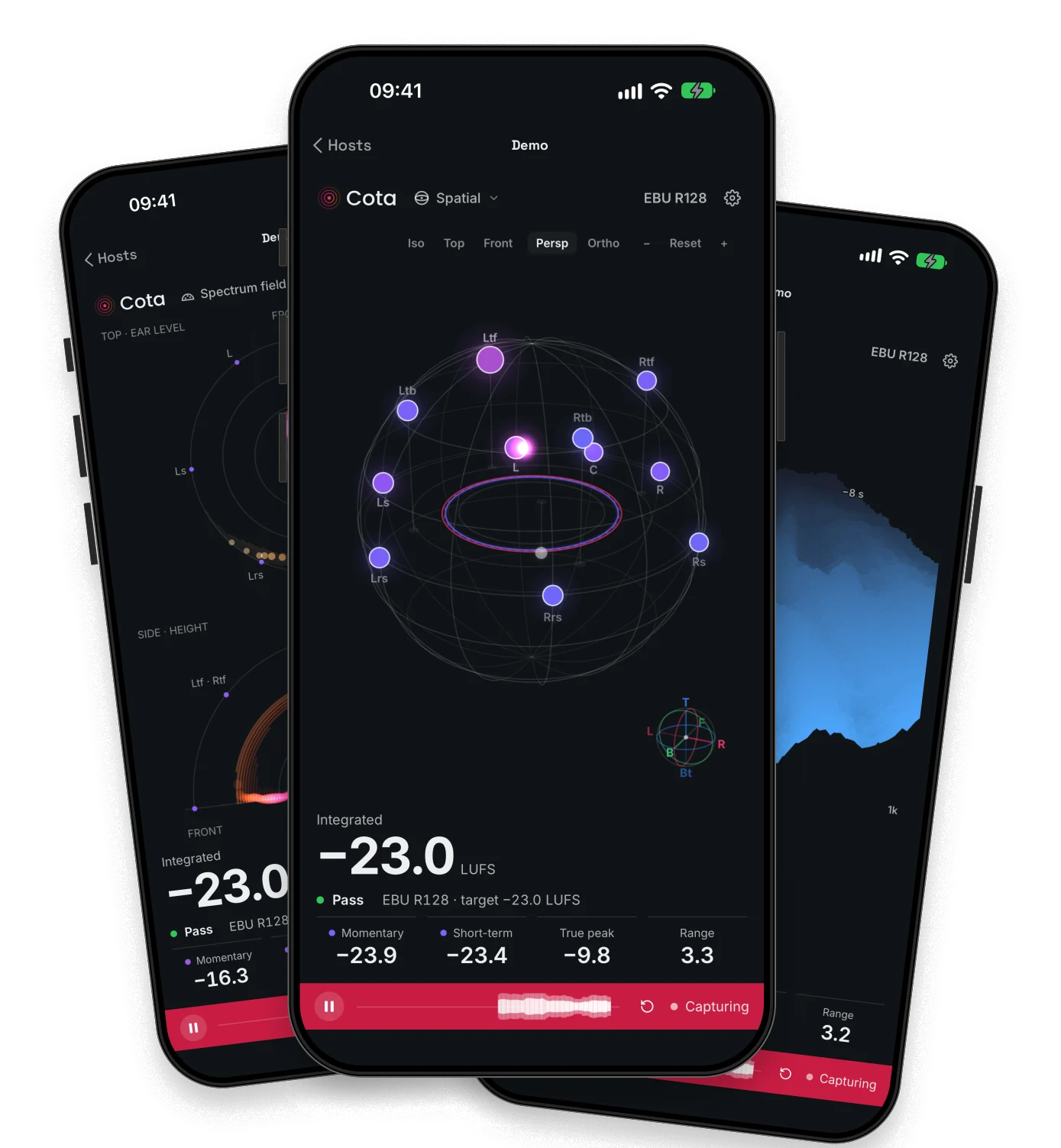
Cota’s gauge, live on your iPhone. Sit where the client sits and know you’re still on target.
Beautiful metering. And brutally accurate.
EBU R128 allows ±0.1 LU of measurement error. Every Cota metric sits well inside the published tolerance, on every release — so when Cota reads −14 LUFS, you are at −14 LUFS, on Spotify, Apple, YouTube or broadcast.
Reference-grade numbers you can read from across the room.
On target or not, before you’ve read a number.
Integrated, short-term and momentary LUFS, loudness range and true peak on one gauge, with a live pass or fail against your target.
The number Netflix actually checks.
Cota picks out the speech in your programme and measures it on the dialogue channels, with the percentage of speech alongside. Choose Netflix as your target and that’s the figure you’re judged on, in the meter and in the report. Put it on your Dashboard as a tile.
Drag in what you need. Resize it. Save it.
Gauge, loudness history, spectrogram, correlation matrix, per-channel true peak, Spectrum Field, Terrain and more. Lay it out on a 4×4, 6×4 or 6×6 grid, or start from a preset like Loudness-first or Spatial QC.
Only in Cota.
Spectrum Field places 48 frequency bands between the speakers carrying them, seen from above and from the side. A crowded centre or thin heights jump straight out. Hover any band for its frequency, level and spread.
Grab the sphere and turn it.
Every speaker in your layout, with the centre of the loudness moving through the room as the mix plays. Height energy, a surround scope and pair correlation sit right beside it.
Up to 30 seconds of spectrum, in hills and valleys.
Turn it, hover any peak, and pick Aurora, Terrain or Ink. Colour it by age, frequency band or speaker group.
Jump between them from the header or with ⌘K. Every view reads the same measurement.
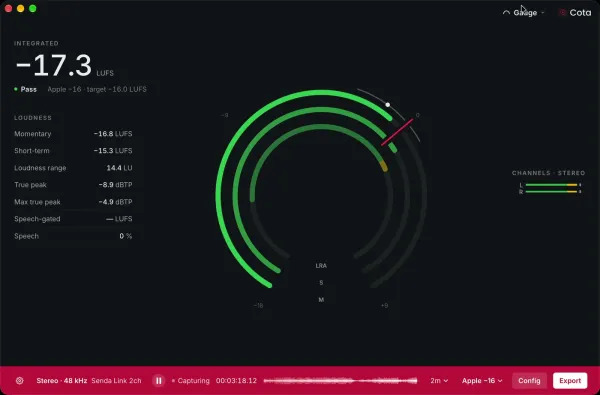 Gauge Every loudness reading on one dial.
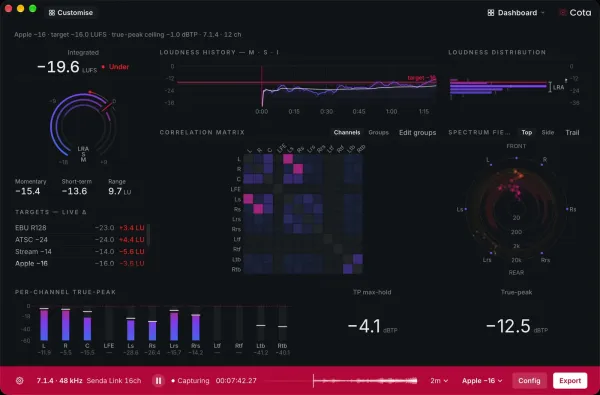 Dashboard Your modules, your layout.
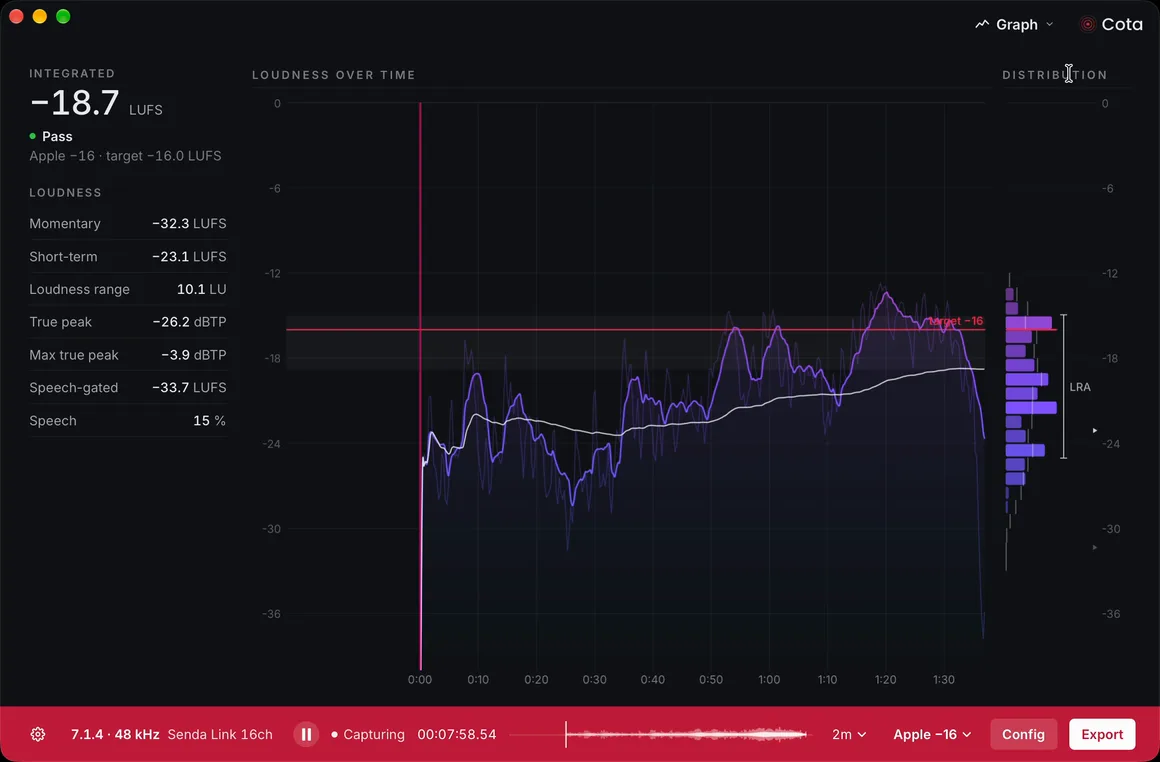
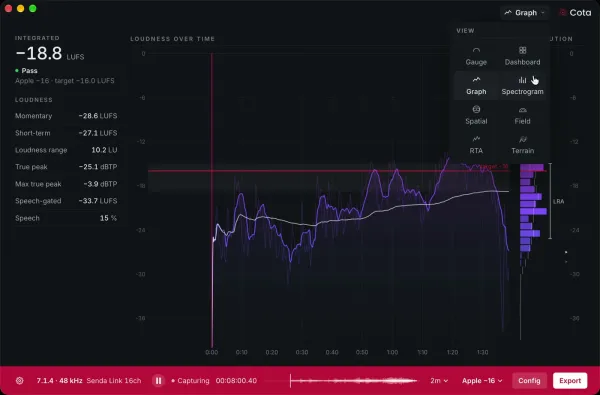 Graph Loudness over time, with its distribution.
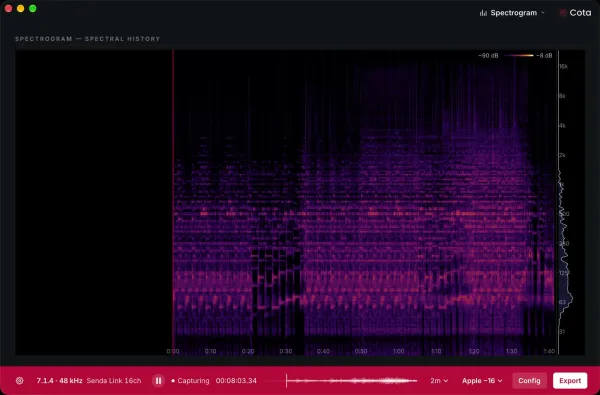 Spectrogram Spectrum history, down to −120 dB.
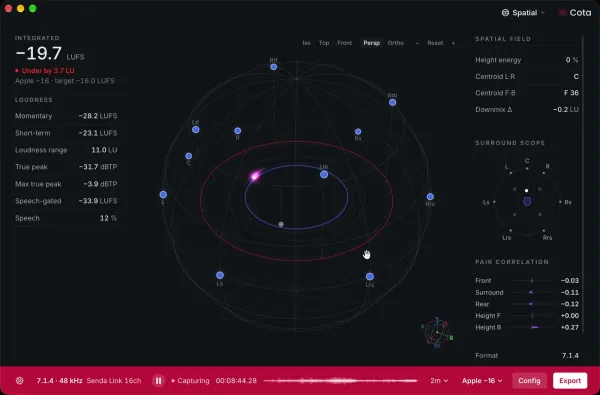 Spatial Your speakers on a sphere you can turn.
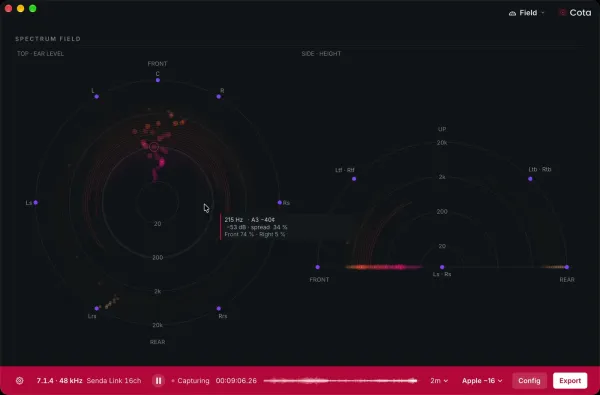 Field Where every frequency sits.
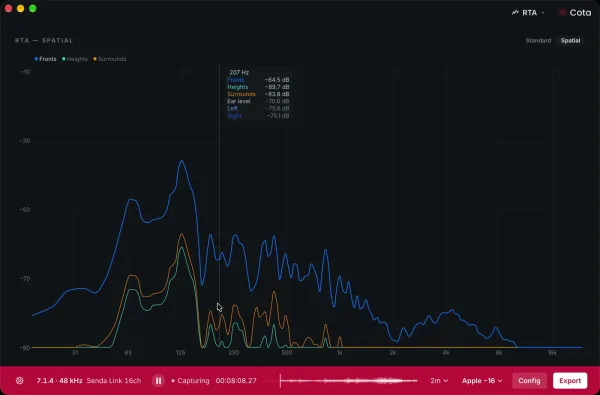 RTA The live spectrum, whole mix or by speaker group.
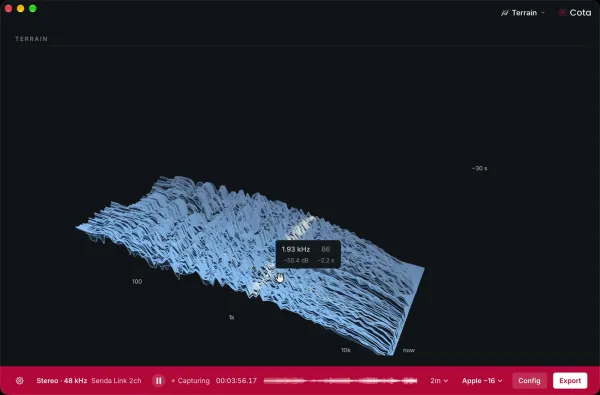 Terrain The spectrum as a 3D map.

Engram records the loudness and spectrum of your whole session against the timeline, and saves it with the project. Scroll back to any moment, any time.
In full Cota, dialogue loudness follows the timeline too, so your Netflix check matches the session, and reports cover all of it.
Everything you need to hand a mix over.
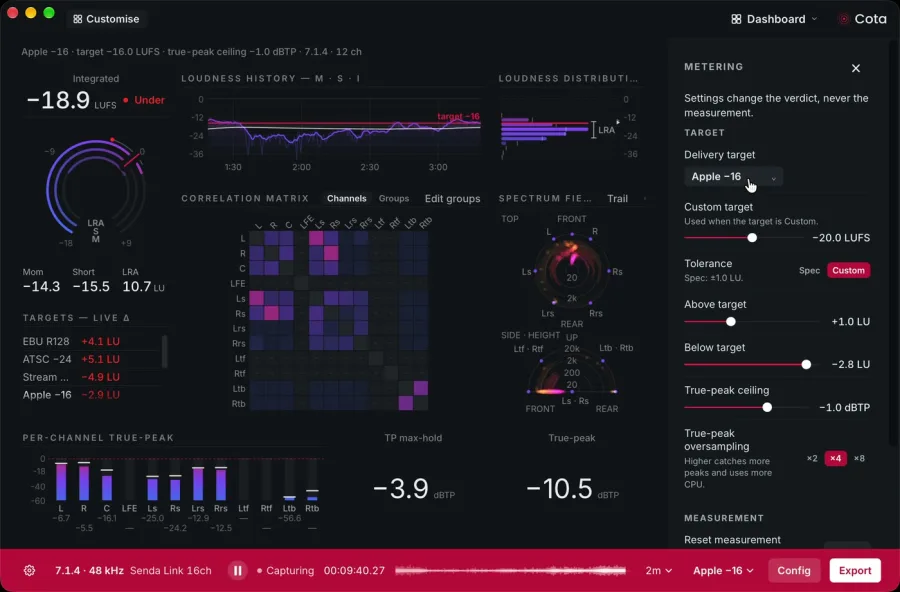
EBU R 128 ±0.5 LU. ATSC A/85 ±2 dB. Apple Podcasts ±1 dB. Netflix ±2 LU. Apple immersive no louder than −18. Or set your own.
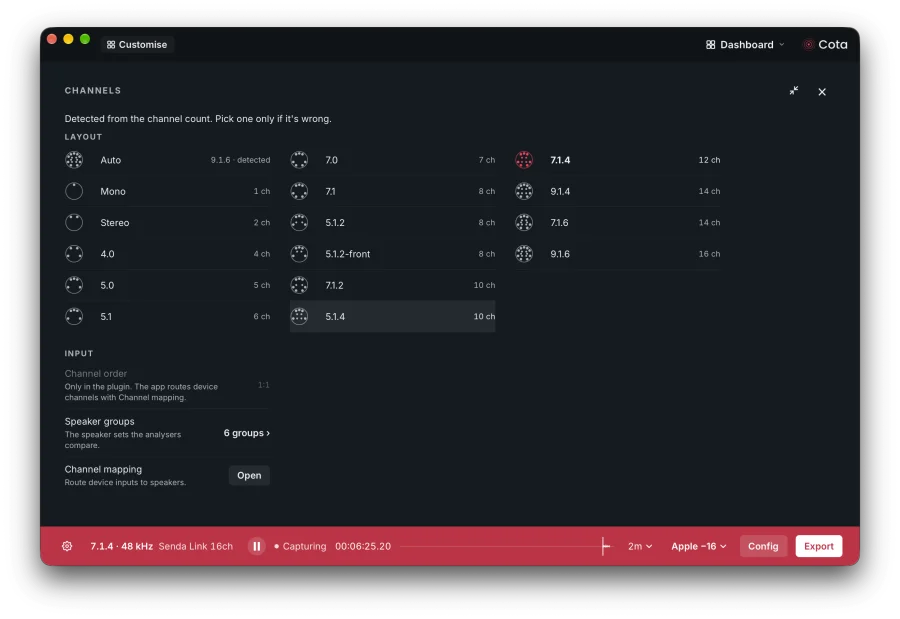
Mono to 9.1.6, picked automatically from the channel count, including 5.1.2-front, 7.1.2 and 7.1.6. In Cota and Cota Lite.
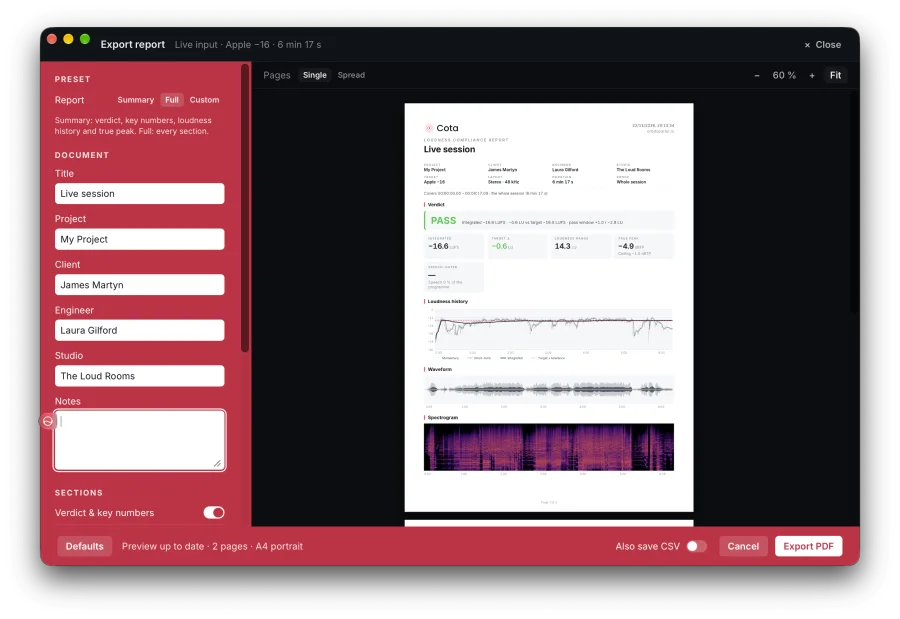
A clean PDF with the verdict, key numbers, loudness history, waveform and spectrogram, with your project, client and engineer at the top. Add a CSV if you need the data.
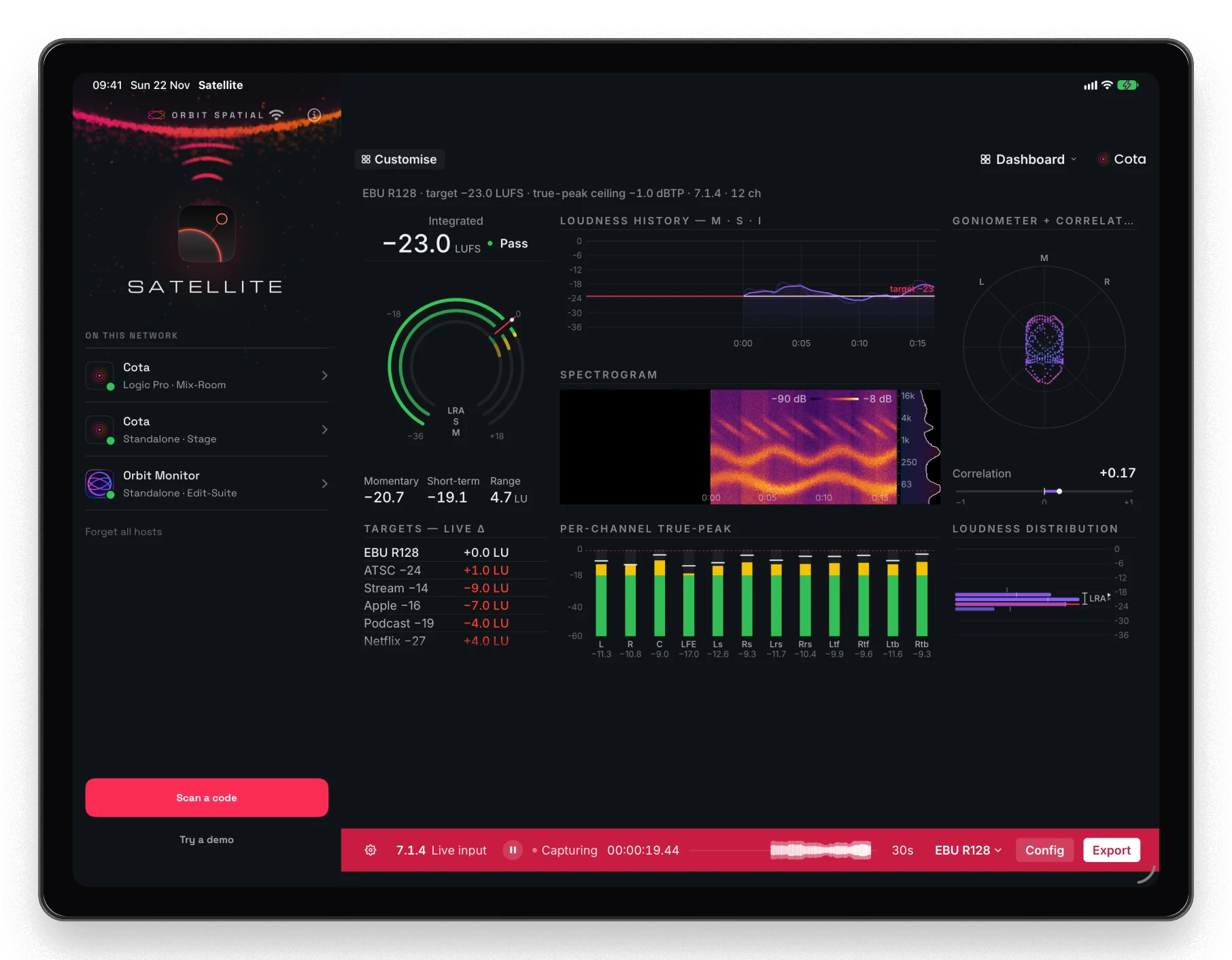
Cota’s meters on any phone, tablet or laptop on your network. Use Satellite, our free app for iPhone and iPad, or just open a browser.
Cota Lite is a free, focused meter. Cota adds the full spatial, spectral and remote toolkit.
A clean, focused loudness meter — yours at no cost.
The full spatial, spectral and remote toolkit.
These are floors — what the machine needs, not what Cota uses. It is a meter: it sits on a session all day without asking much of anything.
macOS 13 (Ventura) or later — Intel and Apple Silicon
Windows 10 or later, 64-bit
4 GB RAM
What the machine needs, not what Cota takes — a meter’s footprint is a small fraction of it.
500 MB free
Any host that loads AU, VST3 or CLAP
Cota also runs standalone, with no host at all.
Two devices per licence, in any combination
Two Macs, two PCs, or one of each — and the plug-in and standalone app on the same machine count as one. Sign out on a device whenever you like and its activation frees up straight away, ready to use somewhere else.
Early access opens soon. Beta testing is open now.
Tell me about Cota: launch news, betas and updates.
Thanks — we'll email you when there's news about Cota.
You're on the Cota list. Want the Orbit newsletter too?