Inspect
Every object, in 3D
Know what is actually in the master, not what the paperwork says.
Audit an ADM object by object — beds and objects placed in space, solo any element, and check naming and metadata against the delivery spec.
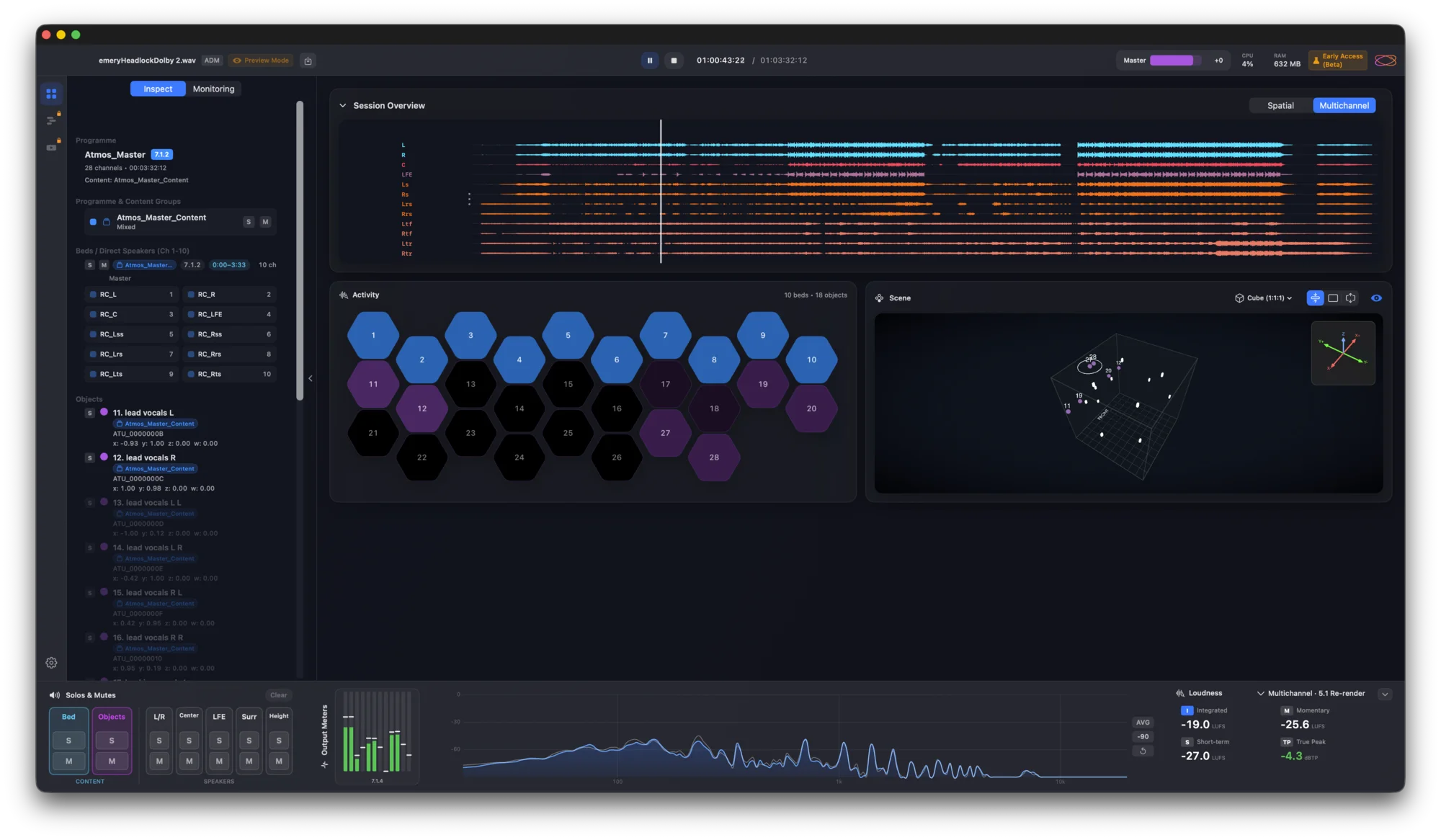
Play back, inspect and sign off immersive masters — the tool hundreds of studios use daily. One purchase, free updates within the major version.
Open the master, see what is in it, measure it, and prove it does what the spec says.
Know what is actually in the master, not what the paperwork says.
Audit an ADM object by object — beds and objects placed in space, solo any element, and check naming and metadata against the delivery spec.
Confirm a master without leaving one bar.
Loudness by Cota to ITU-R BS.1770-5 — integrated, short-term, momentary and true peak — beside a real-time analyser, per-channel output meters and solo / mute groups. Export a PDF report when it lands on target.

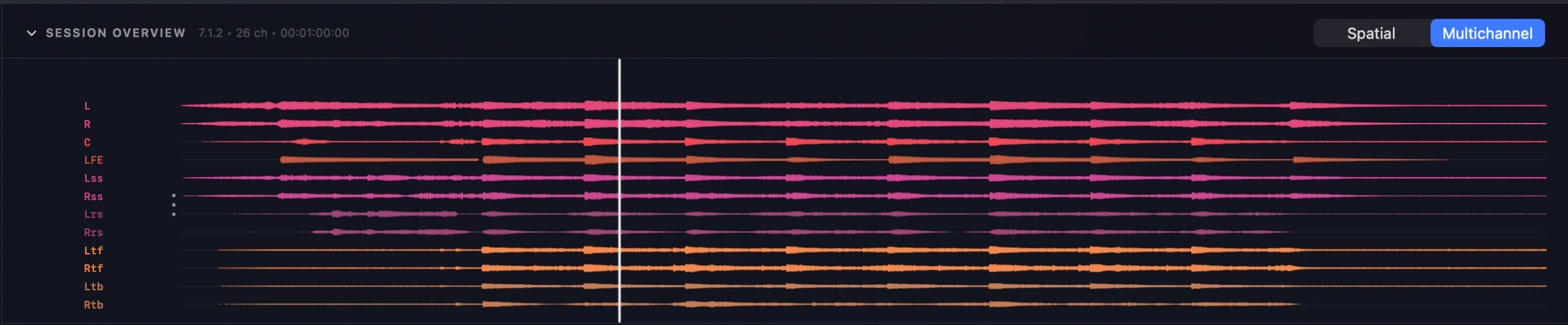
Spot the problem channel at a glance.
Multichannel and spatial waveform views lay the entire programme out on a timeline, so you can scrub, spot and verify every channel.
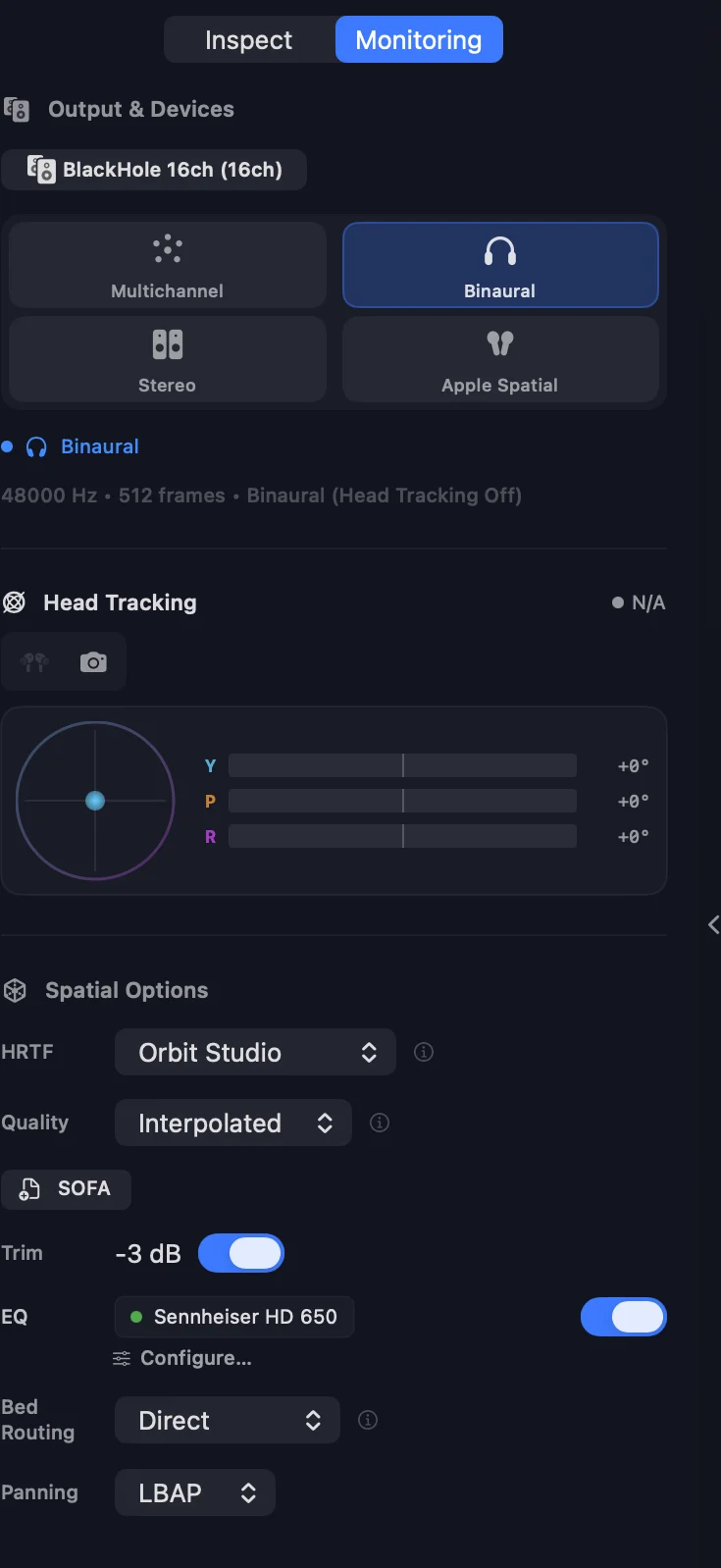
An accurate fold-down on the headphones you actually own.
Head-tracked binaural with per-headphone EQ. Import your own .sofa profiles — Orbit keeps a copy and remembers your choice. Switch between multichannel, binaural, stereo and Apple Spatial, and export a binaural WAV when you need one.
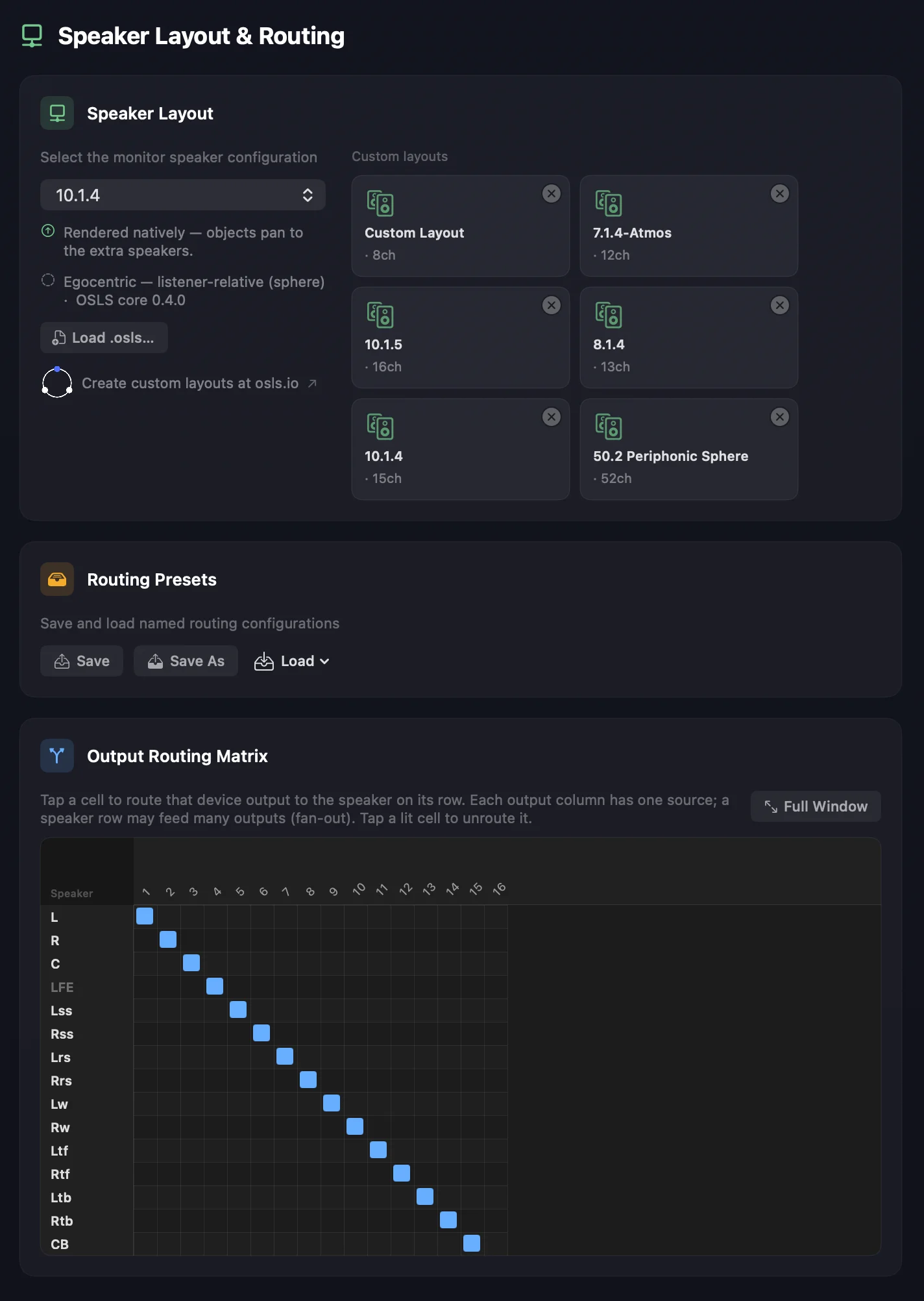
Your room, however unusual it is.
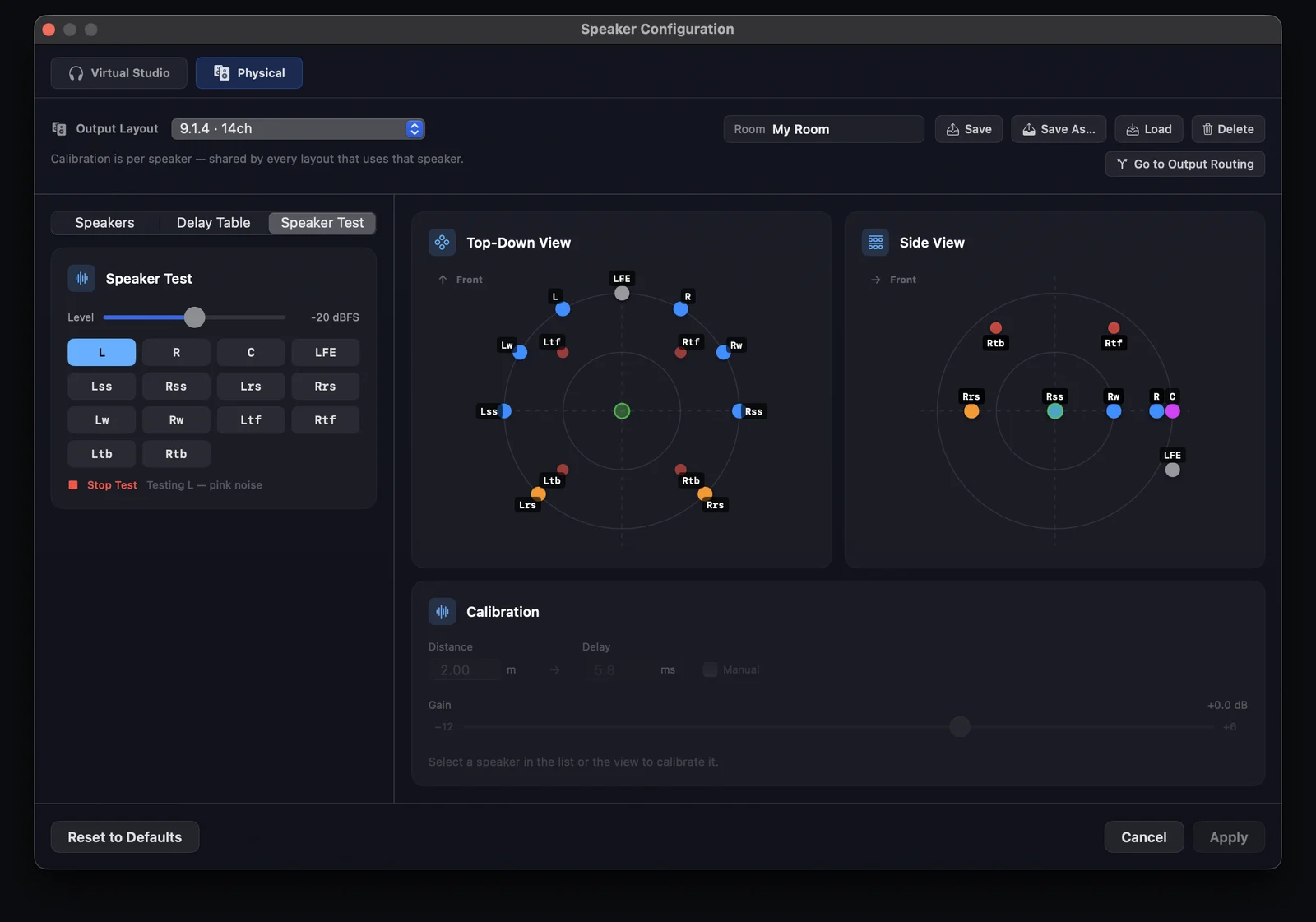
Build any layout up to 64 channels and monitor to it directly, switching between them from the sidebar without opening a window. Custom rigs are described once in OSLS, our open layout format, then patched to your interface with a full routing matrix.
Know the rig is right before you trust what you hear.
Set distance, delay and gain per speaker — once for the room, not once per layout. Click a speaker to hear pink noise from it alone, then save the whole rig as a named Room.
The full breakdown — see every Orbit feature →
From Mono to any layout you can build.
Any rig up to 64 channels via OSLS, our open layout format. Binaural and stereo fold-downs stay consistent across every layout.
Every edition shares the same audio engine and the same ADM fidelity. Pick how far you need to go.
Load it, route it, press play.
Inspect, validate and monitor.
Everything in Orbit, plus export and video.
Verified students and teachers get the full Orbit QC suite at half price — £49. Same features, same updates.
Get Education — £49These are floors — what the machine needs, not what the app uses. Its own footprint is a small fraction of the numbers below.
macOS 14 (Sonoma) or later
Apple Silicon — M1 or later
Intel Macs are not supported. Orbit is built for Apple Silicon only.
8 GB RAM
Every Apple Silicon Mac ships with at least this. It is what the Mac needs, not what Orbit takes — the app sits at around 200 MB, rising to roughly 2 GB with a large master loaded.
1 GB free
The app itself is a fraction of this.
Two Macs per licence
The studio machine and a laptop, say. Sign out on a device whenever you like and its activation frees up straight away, ready to use somewhere else.
One-time purchase, free updates within the major version.