Senda Link 1.0 — a free virtual audio cable for macOS
Route audio between apps on macOS with five virtual devices — 2, 8, 16, 32 and 128 channels — at up to 192 kHz, 32-bit float. Free, open source under Apache 2.0, no account and no telemetry. Apple Silicon, macOS 13+.
Senda Link is a free virtual audio cable for macOS. Install it and five new devices appear in Audio MIDI Setup — 2, 8, 16, 32 and 128 channels. Send audio out of one application, pick it up in another.
It is open source under Apache 2.0. There is no account, no licence key and no activation, and it contains no networking code, so there is no telemetry of any kind.
What you get
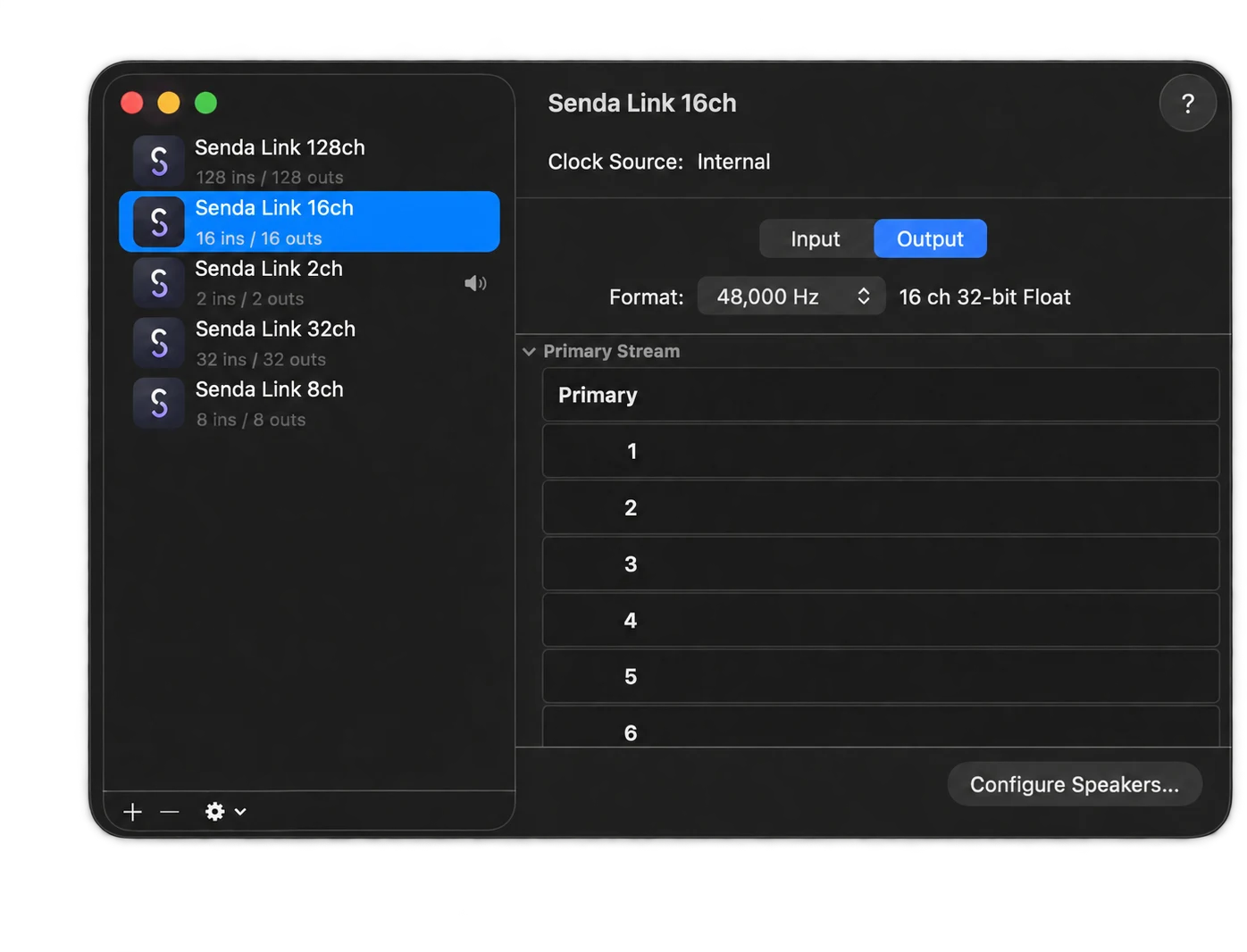
- Five devices from one install, all available at once — 2, 8, 16, 32 and 128 channels
- 44.1, 48, 88.2, 96, 176.4 and 192 kHz at 32-bit float
- Bit-transparent, with zero added latency — samples arrive exactly as sent
- Free for personal and commercial use, Apache 2.0
- macOS 13+ on Apple Silicon, signed, notarised and stapled
Anything that uses Core Audio sees the devices as ordinary inputs and outputs, so Logic, Pro Tools, Ableton, Reaper and the rest need nothing configured to find them.
What it is for
- Recording audio out of one app into another — a browser, a game, a conferencing call
- Feeding a stream or a live show from several sources at once
- Moving stems and multitrack between applications without an interface in the middle
- Measurement, where the reading has to be of the audio and not of the path it took
Worth knowing
All five widths are installed together and usable at the same time, rather than one device per install — which matters as soon as you need more than one at once.
The Apache 2.0 licence matters if you are shipping a product and need a cable inside it — it lets you do that without having to open your own source.
It is Apple Silicon only — there is no Intel build. And installing or removing it restarts Core Audio, which briefly interrupts audio in every application on the machine; the installer warns you first. To remove it, run the installer again and choose Uninstall.
Senda Link 1.0.0 is out now, about 5.5 MB. Download it here, or read the source at github.com/South-Loop-Studios/senda-link.
While you are here
Senda Link is free and stays free — there is nothing in it asking you to buy anything. It comes from a team that builds immersive and spatial audio tools for macOS, and if that is the work you do, these are ours:
- Orbit Lite — open, play and verify any ADM BWF or IAMF master, with video in sync, binaural and Apple Spatial Audio out. One licence covers Mac, iPad and iPhone.
- Orbit — full ADM quality control: the 3D scene, loudness metering to ITU-R BS.1770-5, and speaker, binaural and stereo monitoring.
- Orbit Pro — the finishing toolkit, adding IAMF and Eclipsa Audio™ export, video sync and editing, and per-object markers with PDF and CSV reports.
— The Orbit Spatial Team