






Esfera's new look — and multichannel out of an embed
Track pages now take their colour from the artwork, Discover and the account section have been rebuilt, and the embedded player can send discrete multichannel to your speakers — on your site, not just ours.
Esfera looks different today. Most of the surfaces you use every day have had a visual pass — track pages, Discover, your account — and one change in the embedded player is more than cosmetic.
Your artwork sets the room
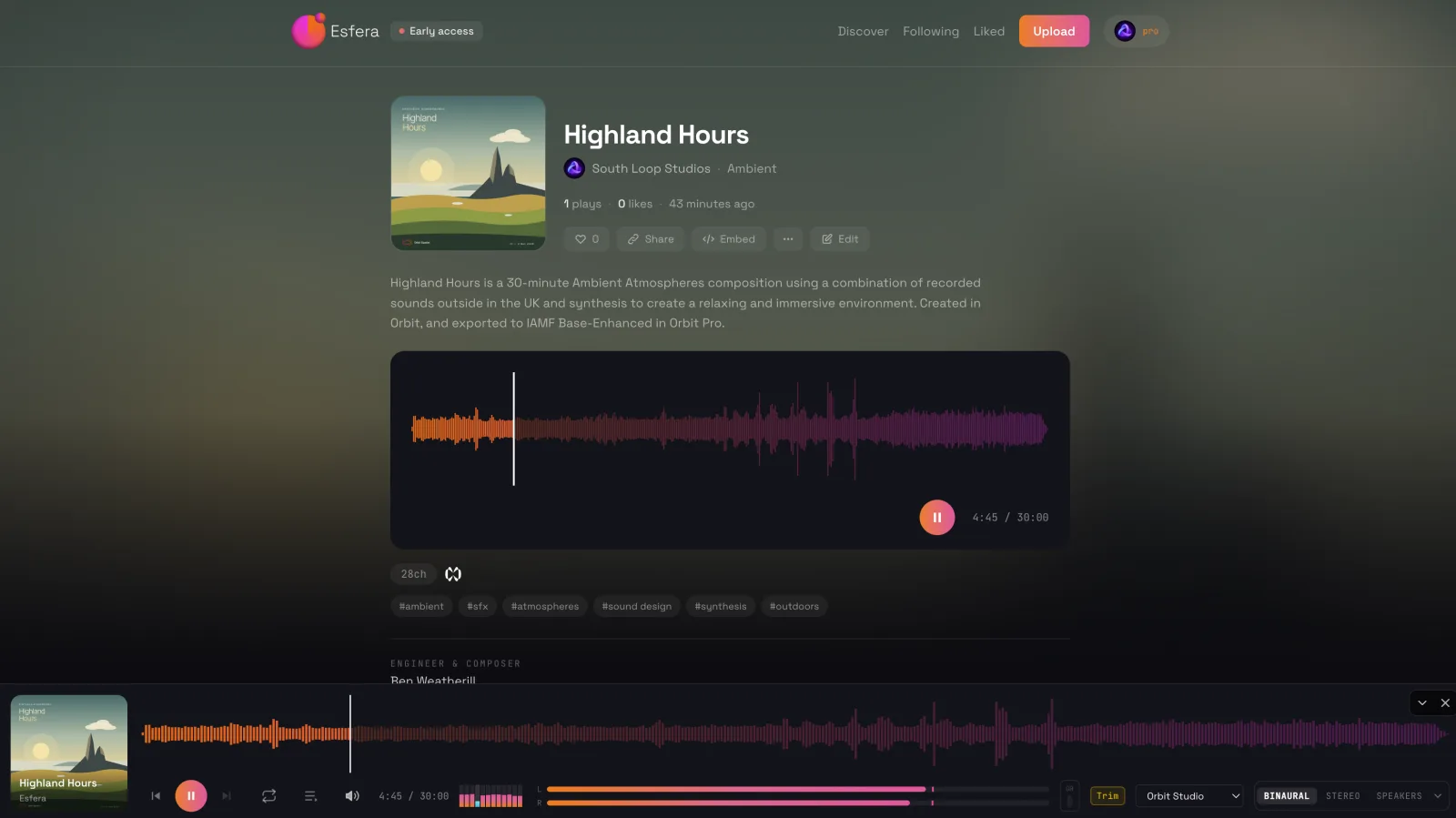
A track page now draws its own background from the cover art: the same image, blurred right out and sunk behind the page. Every record arrives with its own colour, the page takes it, and the artwork stops being a thumbnail in the corner.
It’s a quiet change that does a lot of work. A page of someone’s music should look like their music.
Embedding, rebuilt
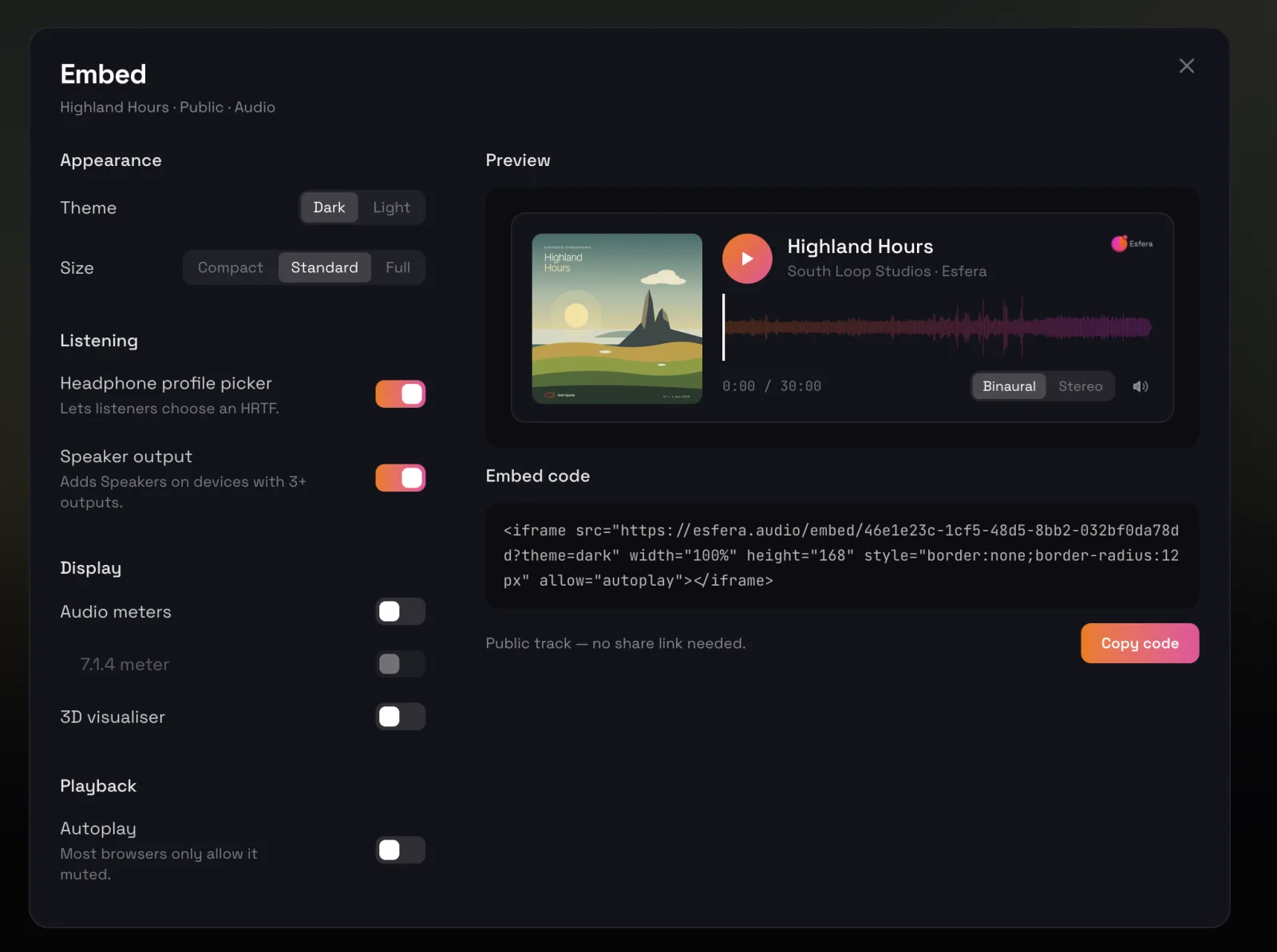
The Embed button on a track page now opens a proper customiser. Pick the theme and the card size, decide whether listeners get the headphone profile picker, turn on the meters — the live L/R pair, and the 7.1.4 cluster beside them — add the 3D visualiser, set autoplay.
The preview is the real player, not a mock-up, so you can see what you’re building. When it looks right, copy the code.
Multichannel, out of an embed
Here’s the part that isn’t just a new coat of paint. The embedded player can now send discrete multichannel to your speakers — the same output the full Esfera player has had, now in a card on someone else’s website.
This is Highland Hours: thirty minutes of ambient atmospheres, recorded outdoors in the UK, exported to Eclipsa Audio™ Base-Enhanced from Orbit Pro. A 7.1.4 bed and a 3rd-order ambisonic scene, twenty-eight channels, playing in your browser.
Highland Hours · South Loop Studios · Ambient
Binaural and Stereo are there for everyone. Speakers appears beside them when your computer has a multichannel output to send to — and that detection happens as the page loads, so the order matters:
- Make your multichannel interface the system’s default output, and set its speaker layout (on a Mac, in Audio MIDI Setup).
- Reload this page.
Do it the other way round and the player will have already decided you’re on headphones. Nothing to install either way — this is an ordinary web page.
You can hear the same player on our IAMF test files page, where Highland Hours is also a free download.
Discover
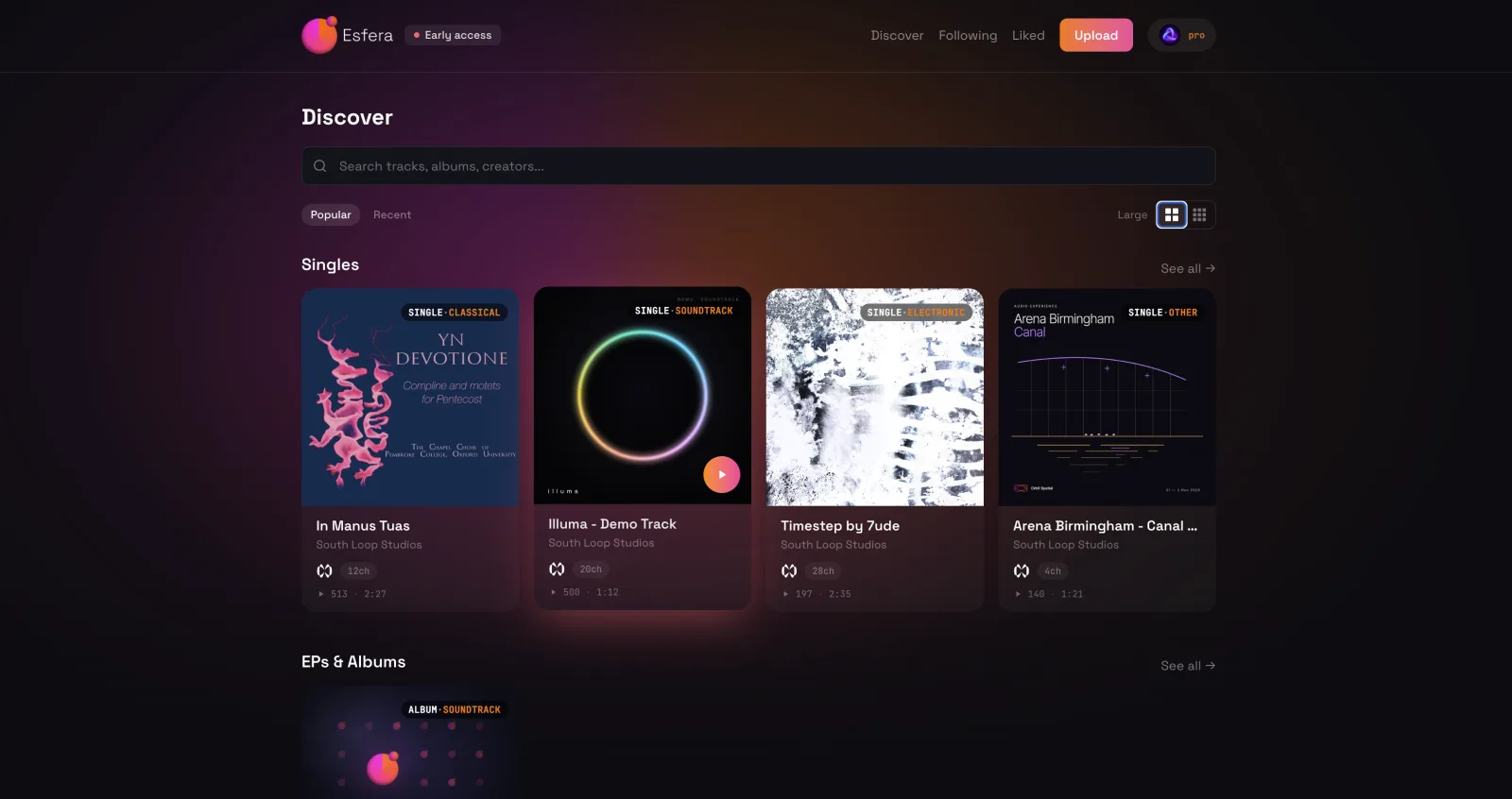
Discover has been rebuilt around the covers. Bigger cards, the artwork carrying the page, and the channel count on every one — so you can see at a glance whether something is 4, 12 or 28 channels before you play it.
Your account, simplified
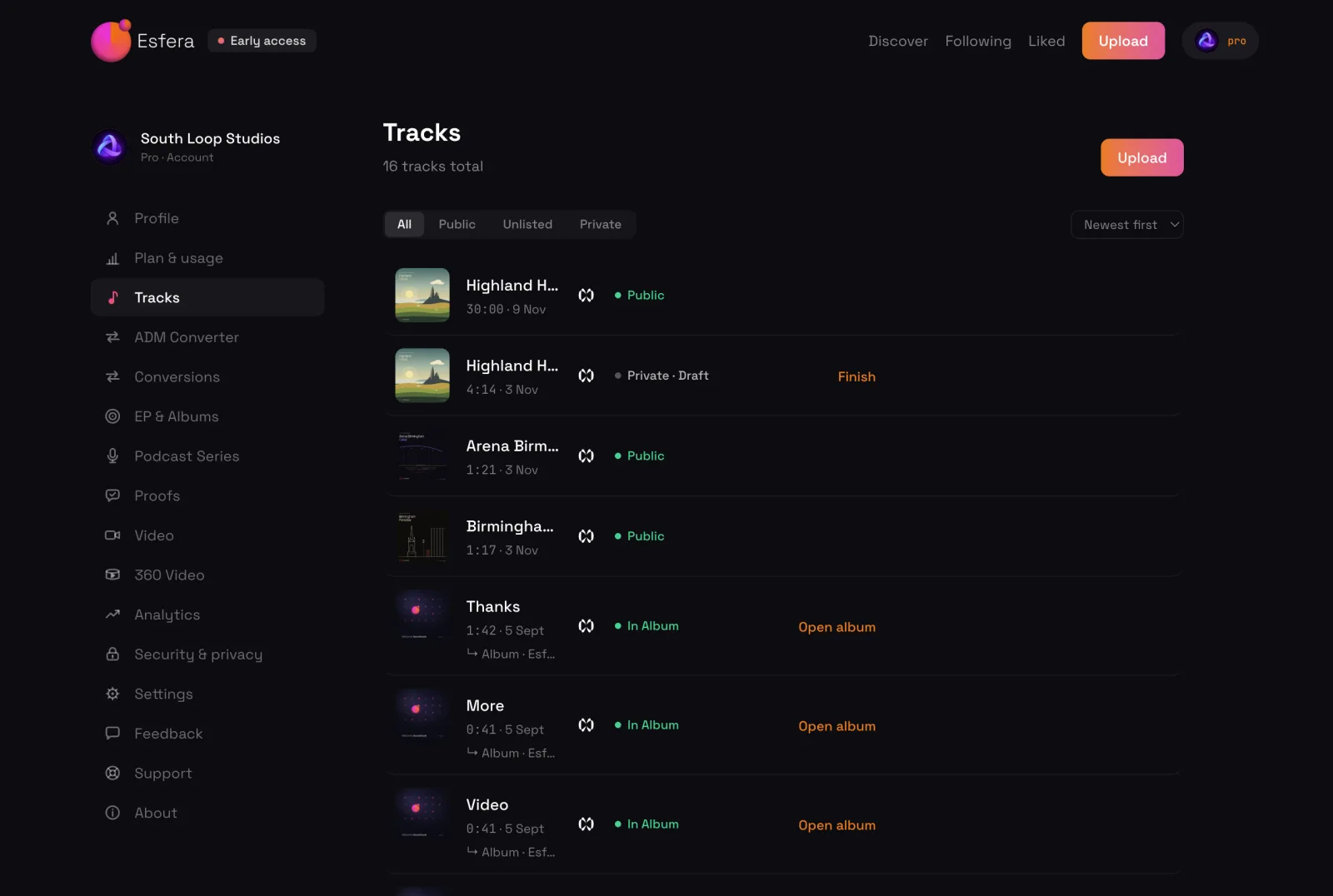
The account section has been flattened and tidied. One sidebar holds everything you own — tracks, albums, podcast series, Proofs, video, the ADM converter — and the lists underneath are plain, filterable and quick to scan. Less chrome, fewer places to look.
Usage you can actually read
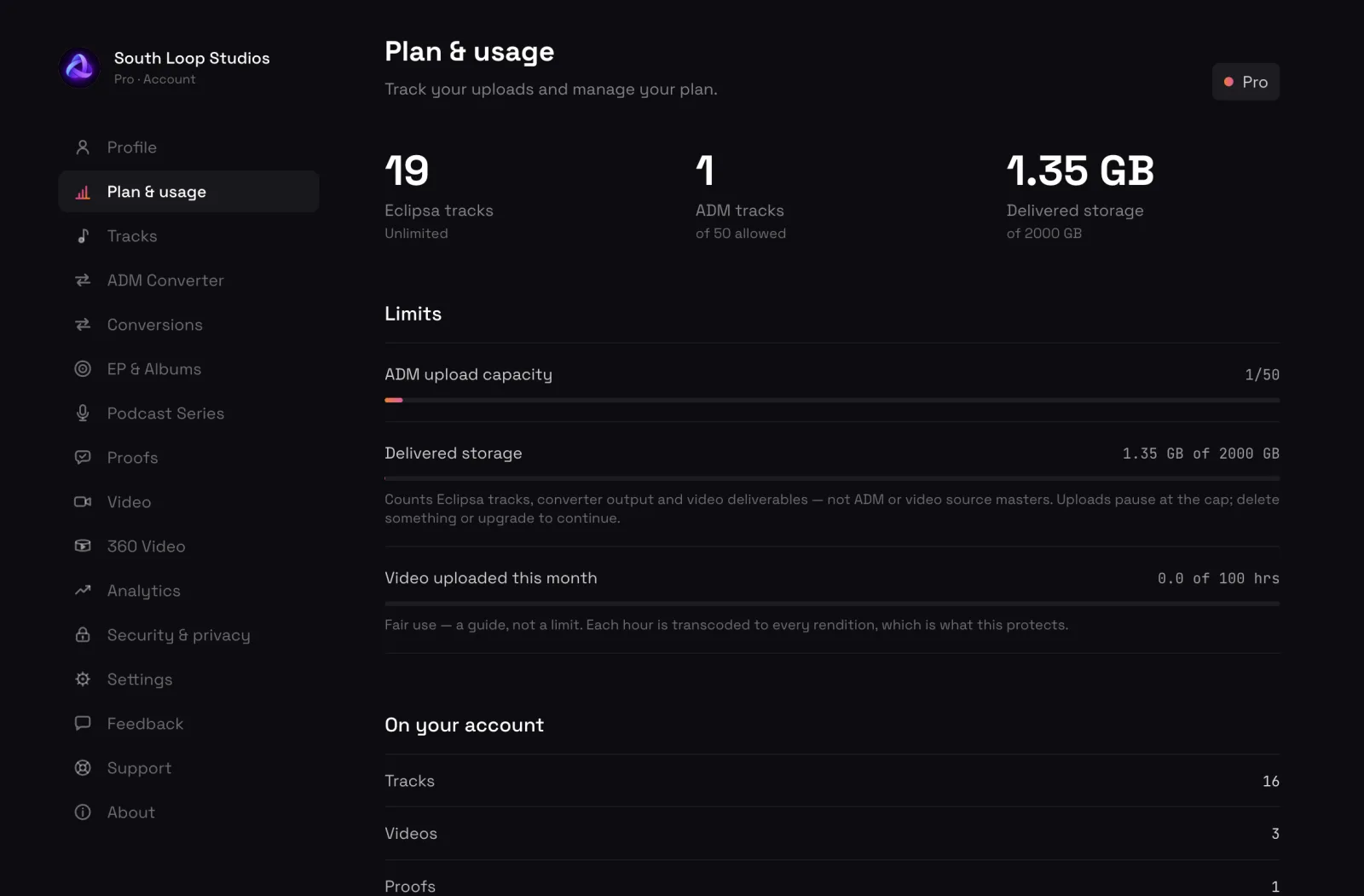
Plan and usage now answers the question directly: what have you uploaded, what does it count against, and how much room is left. The figures at the top, the limits underneath with what each one actually measures spelled out beside it.
More to come
This is the first of several passes, and there’s more on the way.
Come and have a look
Esfera is in early access, and anyone can ask for an account — we don’t screen on how big you are or who you know. We just ask what kind of work you’ll be uploading.
→ Request access at esfera.audio
Not ready to ask? Explore the public collection today — no account at all, nothing to sign. Headphones are worth it.
Already in? Sign in and have a look around. And if you put the player on your own site, we’d like to see it.
We need content!
Students, immersive audio composers — we need you!
Esfera is only as good as what’s on it, and the best thing you can do for a young platform is put work on it. If you’re making immersive music, sound design, field recordings or ambisonic pieces — and you want them heard the way you mixed them, in binaural or out to a real rig — bring them here.
Students especially: this is a place to put a portfolio that actually plays in spatial, that you can send as a link, and that anyone can hear without installing a thing.