


Aro 1.0.1: Ambisonic batch export with per-file edits
Aro 1.0.1, our Ambisonic decoder for macOS, lets each file in a batch keep its own trim, EQ, Balance and Tame, writes Ambisonic and Eclipsa Audio files from a batch, and adds a Side view, waveform zoom and demo recordings.
Aro 1.0.1 is out. Aro is our Ambisonic decoder for macOS, in early access since 18 November, and this update is free, like every 1.x update. The app offers it the next time it checks for updates. Most of what’s new is in Batch: each file can now keep its own edits, and a batch writes every kind of output.
Batch export with per-file edits
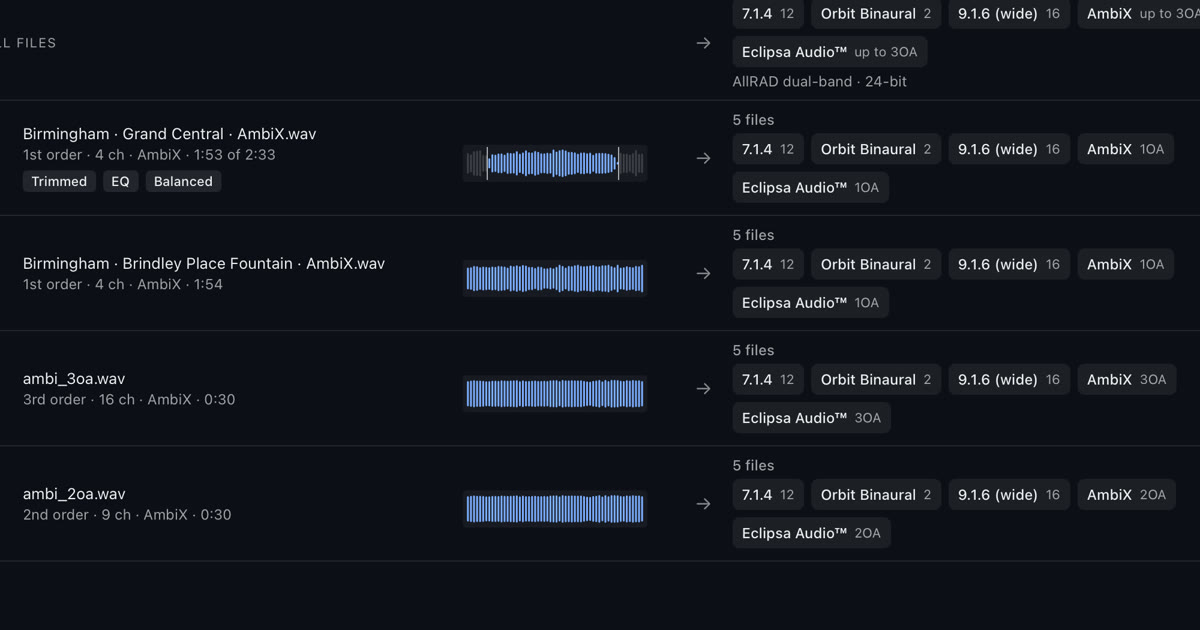
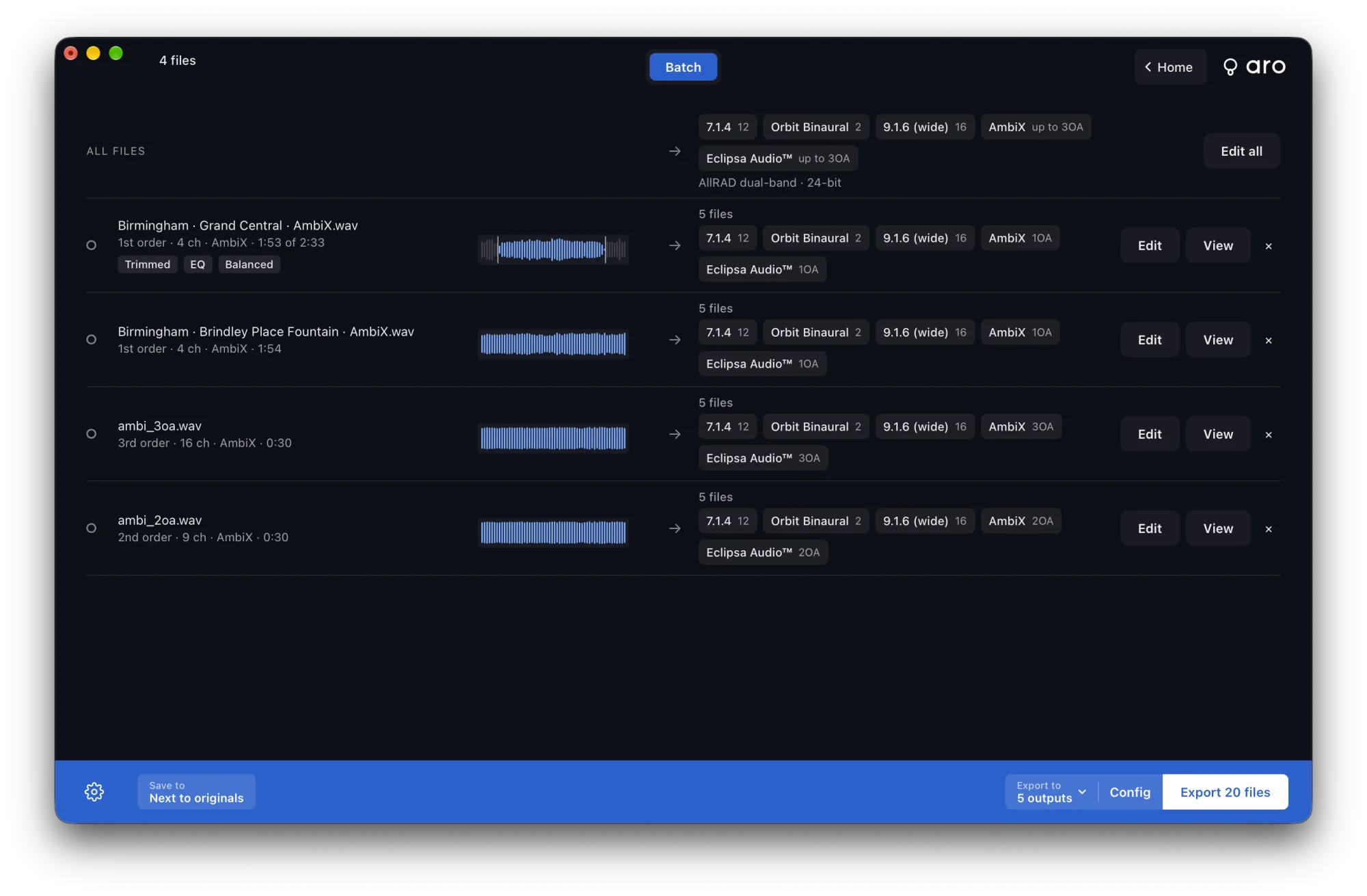
- Each file keeps its own edits. Open a file from a batch with View, trim it, loop it, EQ, balance or tame it, and go back. The batch writes that file with those edits, and only its range.
- You can see them. Each row has a tag for each edit, the length it will write (“3:43 of 4:12”) and a small waveform of the range.
- A card for each output, with a Mixer badge when that layout’s mixer isn’t at 0 dB, a tick once it’s written, and the reason when one is skipped.
- Export to is the full page, as it is for one recording, and Save to is right there. See Batch in the Aro guide.
Eclipsa Audio and Ambisonic files from a batch
A batch now writes AmbiX files, 1st to 7th order, and Eclipsa Audio™ (IAMF) as .iamf or MP4, alongside speaker layouts and Orbit Binaural. A file below the order you choose is written at its own order. See Exporting.
A Side view, and views of the layout you hear
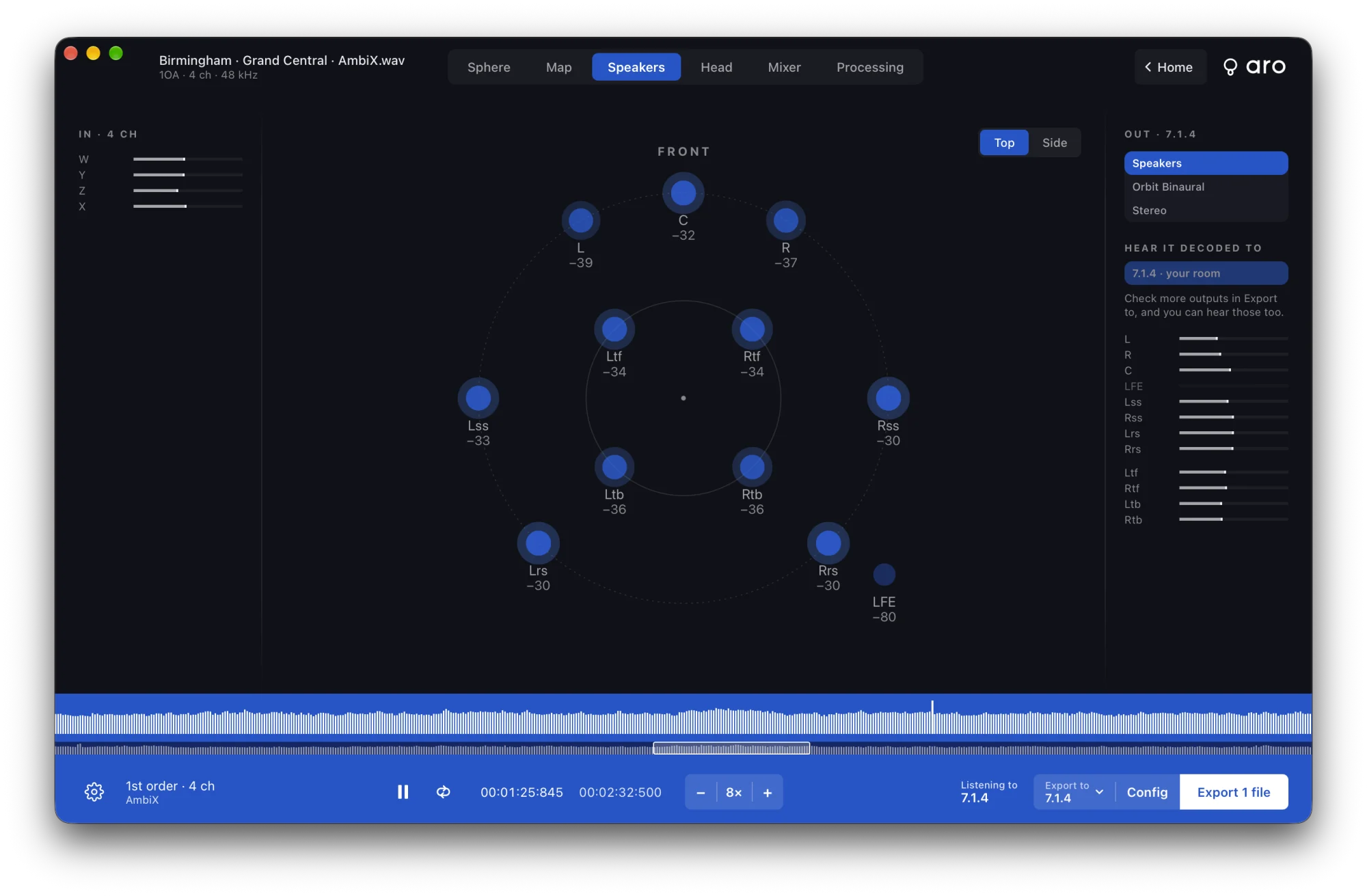
- Speakers has a Side view, beside Top: the same circle seen from your left, with each left and right pair as one dot.
- The views draw the layout you’re listening to. Pick 9.1.6 under Hear it decoded to and Speakers, Sphere, Head and Map show its speakers.
- EQ handles. Drag a point’s handles out for a wider band, in for a narrower one. The Freq, Gain and Q boxes drag up and down too.
Waveform zoom
- Zoom with a pinch, ⌘= and ⌘−, or the control in the footer. While you’re zoomed in, an overview shows the whole recording, your range and your loop, and the view turns a page as it plays.
Demo recordings and the update check on Home
- Demo Content. Two Birmingham recordings to try Aro with, at the foot of Recent. Hide them if you don’t need them.
- The version and the update check sit at the bottom left, with Download when there’s a newer build.
Aro needs macOS 14 or later, on Apple Silicon. Everything new is in the Aro guide, and you can try Aro free for 14 days.